From Twitter

Please wait while my tweets load

If you can't wait - jump to Twitter

See more tweets...

RSS Feed

Please wait while my feed loads

See more posts...

Newsletter

Subscribe to either one of our two newsletters for regular updates and information

Downloads newsletter

This is a weekly newsletter with download news, updates and other information

This is a monthly newsletter with software store information, offers and deals

VMware Player 5.0.2

Test virtual operating systems

by Software Publisher

Our Rating:
Your Rating:
Login to rate
Based on 2 ratings
License: Freeware
Operating Systems: Windows 7 (32 bit), Windows 7 (64 bit), Windows 8, Windows Vista (32 bit), Windows Vista (64 bit), Windows XP
Requirements:


Languages: English
Software Cost: Free
Date Updated: 08 March 2013
Watchlist: Add download to my watchlist
Downloads To Date: 16728
Developer: VMware
RSS News Feed: http://vmware.simplefeed.net/subscription
Twitter Feed: http://twitter.com/VMWAre
Buy the new TuneUp Utilities 2013 for only $16.95, with lifetime license, saving 58% from MSRP, only from store.downloadcrew.com
VMware Player 5.0.2
Ideal way of testing software in a safe environment or simply trying a new operating system

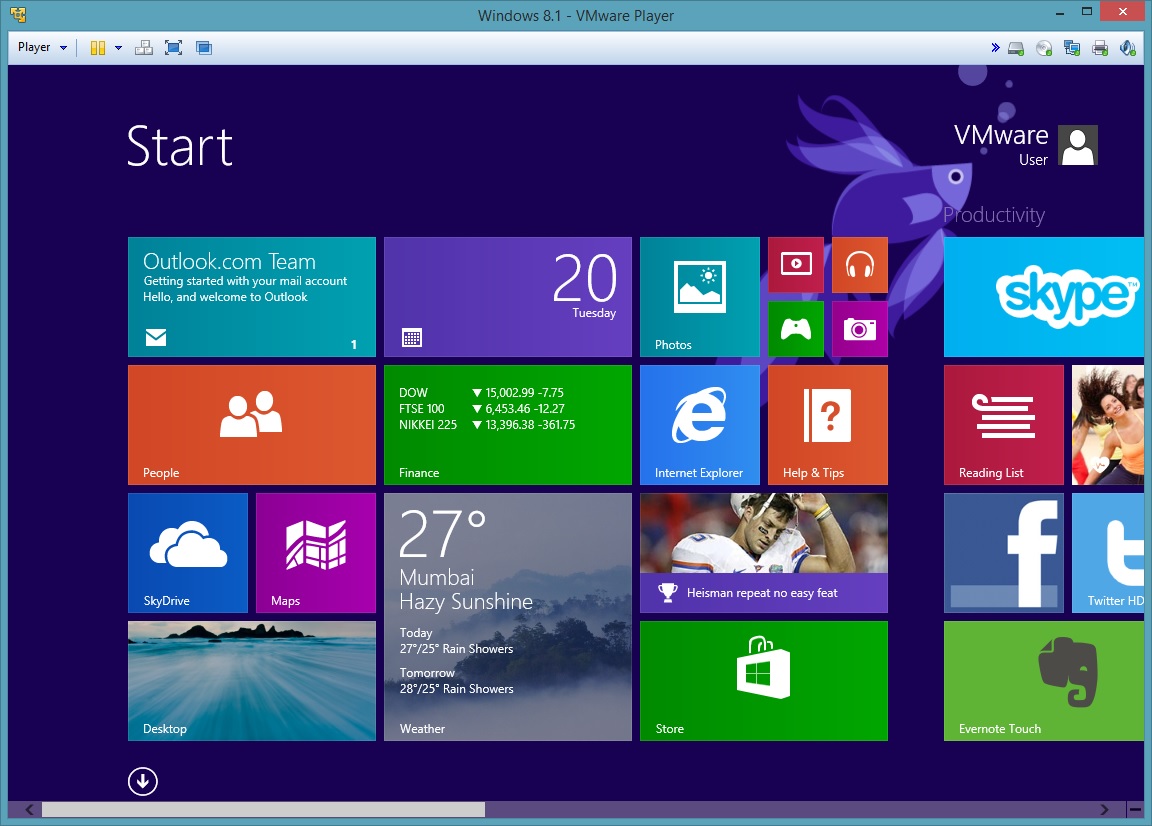
VMware Player is the easiest way to run multiple operating systems at the same time on your PC. With its user-friendly interface, VMware Player makes it effortless for anyone to try out Windows 7 or the latest Linux releases, or create isolated virtual machines to safely test new software and surf the Web. VMware Player can also be used to run a virtual copy of an old PC so that you can recycle the old machines you have under your desk or stored in the closet.

VMware Player allows anyone to try new operating systems without rebooting your PC to switch between them.

Easy Install makes creating virtual machines with the latest 32-bit and 64-bit Windows and Linux operating systems easier than installing them directly on your PC. Run over 200 supported operating systems including Windows 7, Ubuntu 9.04, and many other versions of Windows, Linux, and more.

Run Windows XP virtual machines with better graphics, faster performance, and tighter integration than Windows XP mode offers. With Unity, shared folders and drag and drop convenience, VMware Player is the better way to run Windows XP on Windows 7. Use VMware vCenter Converter to transform your existing Windows PC into a virtual machine and eliminate the need to re-install and re-configure your existing applications which is necessary with Windows XP Mode.

Experiment with new operating systems, or safely try and test new software in an isolated environment on your PC. VMware Player is the ideal way to try out a virtual appliance. Virtual appliances are pre-built, pre-configured and ready-to-run enterprise software applications packaged along with an operating system in a virtual machine. Quickly and easily experience the benefits of these applications without the installation or configuration hassles.

VMware Player 5.0.2 is a minor upgrade. Features include:

- On a Windows 7 host, when you plug and unplug a headset several times, the audio card of the guest would not work. This has been fixed in Workstation 9.0.2.
- When installing VMware Tools in Linux virtual machines, the The default screen resolution options have been standardized to 640x480, 800x600, 1024x768, or 1280x800 for the initial login. After login, resolution can be set to any value the user desires or Autofit can be used.
Image copy/paste now correctly function with Solaris 10 and 11 guests.
- The list of available NICs in the Automatic Bridging Settings dialog window is now refreshed without restarting Player.
- A memory leak that impacted Windows hosts and guests has been fixed.
- When running in a Linux distribution using the GNOME 3 desktop environment, Desktop folders now open as expected.
- VMware Tools no longer crashes on Windows 2008 Server Core x64 SP2 operating system
- Scrolling with a Lenovo ThinkPad UltraNav scroll button no longer requires excessive force.

Verdict:

Ideal tool for testing software in a safe environment or, if you prefer, to test a new operating system before you deploy(

Your Comments & Opinion
 
Related Download Articles
 
VMware Fusion 5

VMware Fusion 5.0

Trial Software

Run a virtual operating system on your Mac

VMware Workstation 9.0.2

VMware Workstation 9.0.2

Trial Software

Host and run a virtual operating system on your computer

Paragon Partition Manager 10 for Virtual Machines

Paragon Partition Manager 10 for Virtual Machines

Freeware

Back up, partition, defrag, repair and optimise your virtual disks

Paragon Virtualization Manager 2010 Personal

Paragon Virtualization Manager 2010 Personal

Trial Software

Easily create a virtual machine from a Windows-based PC

Other Download Articles From This Category
ConsoleHoster 3.8

ConsoleHoster 3.8

Open Source

Run multiple command line windows from a single tabbed interface

USB Drive Letter Manager

USB Drive Letter Manager 4.7.3.0

Free, for personal-use only

Take control over the drive letters assigned to your USB devices

USB Drive Letter Manager 4.7 (64-bit)

USB Drive Letter Manager 4.7.3.0 (64-bit)

Free, for personal-use only

Take control over the drive letters assigned to your USB devices

John's Background Switcher 4.7

John's Background Switcher 4.7.0.22

Freeware

Locate great new desktop backgrounds, and switch them automatically with this powerful free utility

From Softwarecrew

Please wait while my feed loads

See more posts...


Spotlight: Free Full Software

Ashampoo Burning Studio 2013 (v11.0.6)

Free Full Commercial Software

Ashampoo Burning Studio 2013 is a compact, simple, but surprisingly feature-packed disc burning suite.

The program makes it easy to create simple data discs and audio CDs, for instance: just drag and drop your files onto the list area and you'll be burning the finished disc in a couple of clicks.

That's just the start, though. Burning Studio 2013 can also create data discs with customised, interactive multi-page menus, perfect if you'd like a more professional way to share and present the disc contents.

A built-in backup tool allows you to create backups which may be encrypted, compressed, and span several CDs, DVDs and Blu-rays.

And there are modules to create VCD or SVCD video projects; burn video DVDs or Blu-ray discs from prepared folders; create, browse or burn disc images (ISO, CUE/ BIN and Ashdisc formats are supported); copy discs, erase them, design and print disc covers, labels and booklets, and more.

The focus throughout is on ease of use, though, and so Ashampoo Burning Studio 2013 remains very straightforward, whatever you're doing. Most disc projects are created via the same simple interface, and for the most part all you have to do is drag and drop the necessary files. But experts will find more advanced options are only a click away, and if you need to then you can set ISO and UDF version, enable Joliet, make a disc bootable and more.

Note the download here will take you to the Downloadcrew Software Store where you can download Burning Studio 2013.

[...]
Value:
Free
Rating: