From Twitter

Please wait while my tweets load

If you can't wait - jump to Twitter

See more tweets...

RSS Feed

Please wait while my feed loads

See more posts...

Newsletter

Subscribe to either one of our two newsletters for regular updates and information

Downloads newsletter

This is a weekly newsletter with download news, updates and other information

This is a monthly newsletter with software store information, offers and deals

VLC Media Player 2.0.1 FINAL

Play just about any video or audio format using this versatile media player

by Nick Peers

Our Rating:
Your Rating:
Login to rate
Based on 6 ratings
License: Open Source
Operating Systems: Mac OS X, Windows 2000, Windows 7 (32 bit), Windows 7 (64 bit), Windows Vista (32 bit), Windows Vista (64 bit), Windows XP
Requirements:


Languages: English
Software Cost: Free
Date Updated: 19 March 2012
Watchlist: Add download to my watchlist
Downloads To Date: 29898
Developer: VideoLan
RSS News Feed: http://www.videolan.org/videolan-news.rss
Buy TuneUp Utilities 2012 for only $18.99, with lifetime license, saving 62% from MSRP, only from store.downloadcrew.com
VLC Media Player 2.0.1
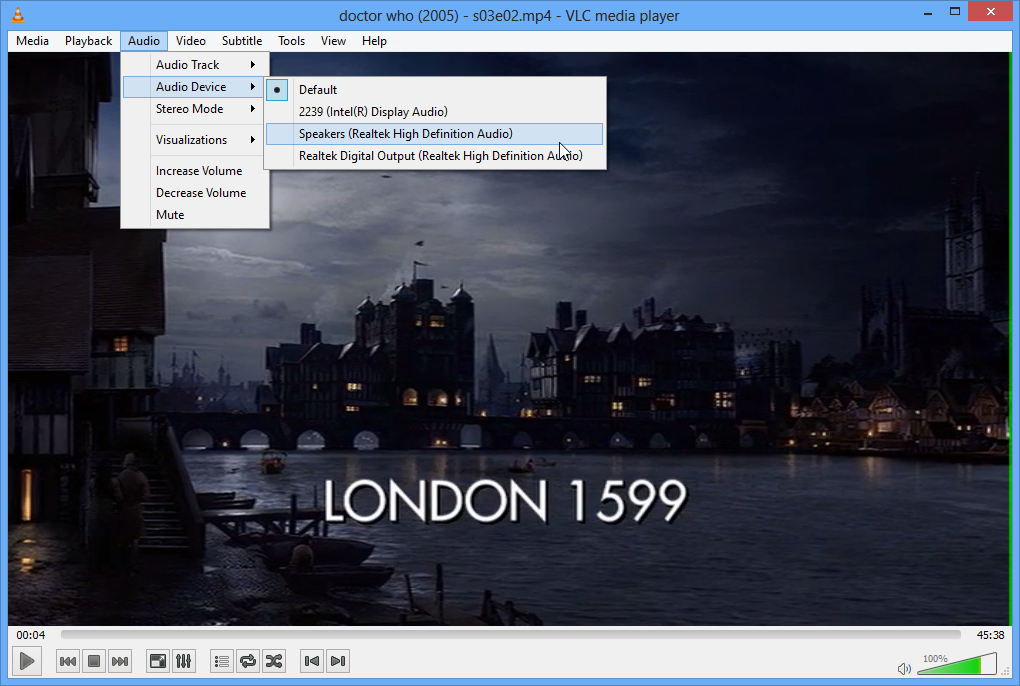
Play just about audio or video format using this cross-platform media players

Whilst the various media player developers attempt to convince us to use their codec to encode our home video, this means that we often have to have more than one media player installed to play every video, audio and other media, on our computer. Factor in old videos that were encoded using codecs that have been long discontinued, then it becomes a real pain to just play back your collection of movies.

There must be a better way, a way of handling the various audio and video formats, without having to experiment with different media players. There is, it’s called VLC Media Player. This isn’t a recent application, although it’s been ages in development. This is a cross-platform versatile media player that does one thing well: attempts to play just about every format available.

By installing VLC Media Player across your various computers, you can be assured that a video that plays back on your Mac will also play on your PC. It also supports Internet-based media streaming, so you can use the player to listen to a streamed audio stream and much more.

What's new in v2.0? The most radical changes will be found on the Mac platform, with support for Blu-ray playback being overshadowed by a radical overhaul of the user interface. This major step forward has divided the VLC community since it first emerged, with some decrying the loss of version 1’s minimalist approach to video playback.

VLC 2.0 on the Mac platform replaces the simplistic interface of version 1.x in favour of something more akin to iTunes, while also embracing the look of OS X Lion. It opens in Playlist view, with a two-paned window containing a list of common locations for media files in the left-hand pane, and an invitation to drag and drop files into the window for playback on the right.

Media controls sit at the bottom of the window, and there’s a new audio effects option next to the full-screen button, which takes advantage of Lion’s full-screen support. Options in the left-hand window include a shortcut to the user’s iTunes library and a playlist option, as well as UPNP and various internet streams.

VLC 2.0 for Mac also includes experimental Blu-ray support, plus adds support for VLC’s lua-based extensions. These support various interactive features, such as pulling movie information and subtitles from the internet, or posting to Twitter.

Version 2.0 is very much aimed at Mac users, with Linux and Windows users seeing less radical changes, although behind-the-scenes improvements – detailed in full at the VLC changelog – make the update worth pursuing for all platforms.

Verdict:

This is the best cross-platform, multi-format versatile media player that will play just about any format

Your Comments & Opinion
 

VLC Player

Posted by: Carroll MacDonald, 28 February 2012 01:29

This is my Default Player for everything but my music... Music is player via AIMP3. VLC can play 99.999997% of everything I throw at it. I can adjust just about anything I need to with VLC, if a video has an issue vlc will even attempt to fix it... and does in most cases.

Two thumbs up for VLC!

Does not support

Posted by: Vern Rb, 19 February 2012 20:26

Win XP1 or earlier. From the release notes:

* The Windows version will only work with Windows XP SP2 or later.
Windows 2000 SP4, Windows XP < SP2, Windows 2003 SP0 are now unsupported.

It's gggggrrreat!

Posted by: Simon "Captain Blue" Talard, 19 February 2012 10:37

Really a superb showing, it does simple tasks easily and has more features for those who need it. No complaints.

Related Download Articles
 
Apple iTunes 10.6.1 (64-bit)

Apple iTunes 10.6.1 (64-bit)

Freeware

Download, manage and playback music from your computer

Zune

Microsoft Zune 4.7.1404.1

Freeware

Media player designed to bring PC, Xbox 360 and Windows 7 phones together under Microsoft's entertainment wing

CyberLink MediaSuite 9 Pro

CyberLink Media Suite 9 Pro

Trial Software

Play, organise, edit, convert and share your media files with this polished and powerful suite

Cyberlink Media Suite 8

Cyberlink Media Suite 8 Pro

Trial Software

A money saving bundle of Cyberlink products to help you get more from your burner and media files.

Other Download Articles From This Category
PicPick

PicPick 3.1.5

Shareware

Capture, edit and upload images in a flash with this powerful screen capture program

jAlbum 10.7.2

jAlbum 10.7.2

Free, for personal-use only

Create stylish web albums from your favourite digital photos

Apple QuickTime 7.7.2

Apple QuickTime 7.7.2

Freeware

High quality video player which can be used for online and offline viewing

K-Lite Codec Pack Standard

K-Lite Codec Pack Standard 8.8.0

Freeware

All the codecs you need to play virtually any video or audio you may encounter

From Softwarecrew

Please wait while my feed loads

See more posts...

Our Price: $99.95
RRP: $129.95
Saving 23%
Buy Now More Info
Offer Ends In:
 

Spotlight: Free Full Software

Giveaway: WinISO Standard 6.1.0

Free Full Commercial Software

WinISO is a very comprehensive tool which provides everything you need to create, edit and convert disc images.

If you've an image file already, for instance (ISO, CUE/ BIN, NRG, MDF, CCD, IMG and DVD formats are supported) then you can open it in a click or two, browse the image contents, and extract the files you need with a quick drag and drop.

It's just as easy to create new ISO9660, UDF, even HFS+ images. Just choose the option you need, then either manually build up your preferred file and folder structure; drag and drop your files and folders from Explorer onto the program; or create an image directly from a CD, DVD or Blu-ray disc.

Of course you can edit images, too. Is an ISO file too large for your needs, say? Open it up, locate and remove any surplus files to free up a little space.

WinISO program has full support for reading and creating bootable image files. A simple conversion tool makes it easy to convert disc images into the format you need. And the program can even mount ISO files as Explorer files, or burn images to disc when you're ready to save them.

Please note, this trial version of WinISO Standard will not save files greater than 500MB in size.

Giveaway: on Wednesday, we're giving you the full current version of WinISO Standard 6 worth $29.95. The download link here will take you to Downloadcrew Giveaway.

[...]
Time Remaining: