


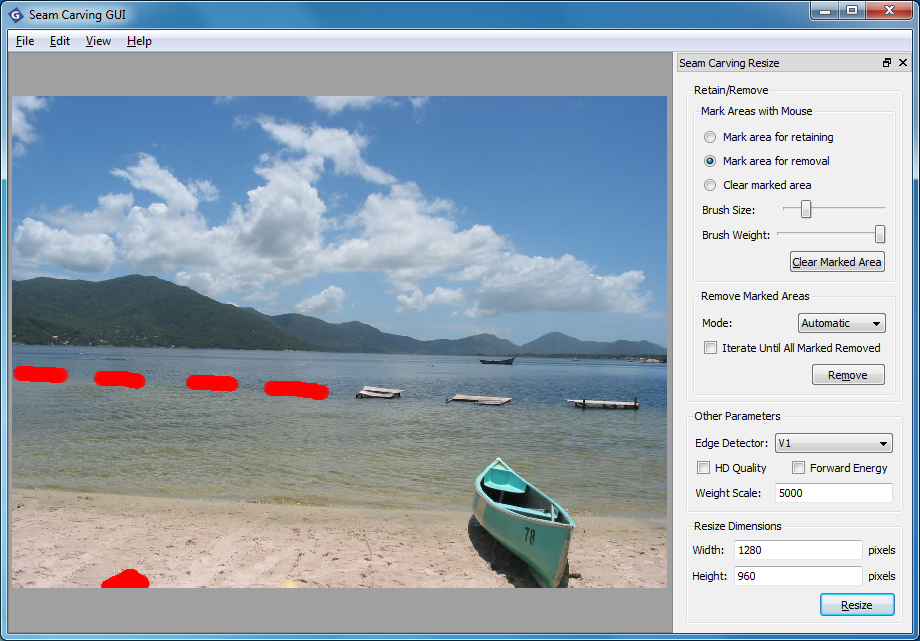
Seam Carving GUI is a program to help you resize an image without affecting its main subjects: buildings, people, animals or whatever it might be. Instead the program aims to remove only content which isn't visually important, a technique known as Content Aware Image Resizing (CAIR). (If you're not sure what we mean, check out the images top-right on the CAIR Wikipedia page for a good example.)
The program works by first allowing you to mark either the areas you'd like to keep, the areas to remove, or both. It's a straightforward, if slightly tedious process: you just "paint" over that area with a brush.
If you want to resize the image to specific dimensions then you can optionally enter them here. But if you don't really care, simply click "Remove" and Seam Carving GUI will remove the areas you've specified and show you what's left.
In our tests, the results were sometimes impressive, sometimes very bad indeed, depending on the source image and how much work we were asking the program to do. There are plenty of tweaks you can make to try and improve the final image, though. And while Seam Carving GUI isn't going to compete with Photoshop any time soon, if your graphics editor can't do anything like this then it's worth keeping the program around, just for occasional use.
Verdict:
Seam Carving GUI is a simple way to carry out basic content-aware resizing (CAIR) operations. It only delivers good results in a few situations, but may still be useful if you don't have anything to carry out CAIR for you.
Your Comments & Opinion
Convert, resize and add effects to your images with this batch processing tool
Convert, resize and add effects to your images with this batch processing tool
Resize a folder of photos with a click
Low-cost image editing package packed with features
Resize a window or tweak its transparency with your mouse wheel
Quickly resize and compress JPG images
A powerful open-source video editor
Create stylish web albums from your favourite digital photos
Create stylish web albums from your favourite digital photos
Create stylish web albums from your favourite digital photos
A powerful free video editor