From Twitter

Please wait while my tweets load

If you can't wait - jump to Twitter

See more tweets...

RSS Feeds

Receive a regular RSS feed from our latest, most popular and recommended downloads

Latest downloads feed

Get a regular RSS from our most latest downloads

Most popular downloads feed

Get a regular RSS from our most popular downloads

Recommended downloads feed

Get a regular RSS from our recommended downloads

Newsletter

Subscribe to either one of our two newsletters for regular updates and information

Downloads newsletter

This is a weekly newsletter with download news, updates and other information

This is a monthly newsletter with software store information, offers and deals

VisualCron 6.1.2

Automate just about every aspect of your PCs operation with this advanced task scheduler

by Mike Williams

Our Rating:
Your Rating:
Login to rate
Based on 0 ratings
License: Trial Software
Operating Systems: Windows 2000, Windows 7 (32 bit), Windows 7 (64 bit), Windows Server, Windows Vista (32 bit), Windows Vista (64 bit), Windows XP
Requirements:


Languages: English, Arabic, Bahasa Melayu, Bengali, Bulgarian, Catal, Chinese (simplified), Chinese (traditional), Croatian, Czech, Danish, Dutch, Faroese, Farsi, Finnish, French, German, Greek, Hebrew, Hindi, Hinglish, Hungarian, Italian, Japanese, Norwegian (bokmål), Norwegian (nynorsk), Polish, Portuguese (Brazilian), Portuguese (European), Romanian, Russian, Spanish, Swedish, Thai, Turkish, Vietnamese
Software Cost: $$97 (Windows)
Date Updated: 26 June 2012
Watchlist: Add download to my watchlist
Downloads To Date: 124
Developer: neteject
RSS News Feed:
Buy the new TuneUp Utilities 2013 for only $16.95, with lifetime license, saving 58% from MSRP, only from store.downloadcrew.com
VisualCron 6.1.0
Automate just about every aspect of your PCs operation

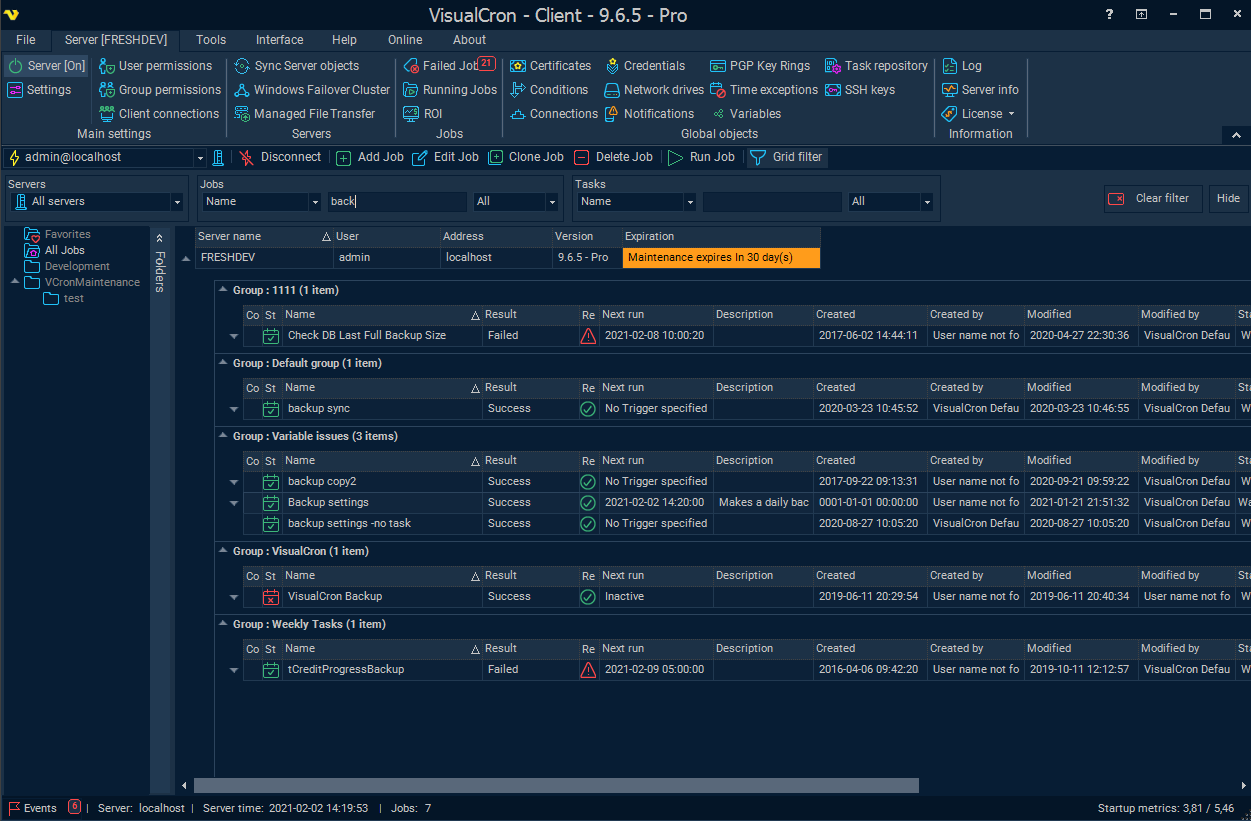
In theory, VisualCron sounds very basic: it's just a tool that runs other commands, programs or scripts at the time or on the event that you choose. In practice, though, it's an industrial-strength task scheduler that can automate just about any task you like.

The program can initiate jobs at the date and time you specify, for instance, but that's just the start. It can also trigger when your PC starts or shuts down, a file changes or is deleted, a Windows service starts of changes status, when there's a particular change in the Registry, a new email arrives, a specific Windows event occurs, and more.

And when the trigger occurs, you could just run a program, but again, there's plenty more on offer here. Your job can send an email or instant message, stop or start Windows services, perform various file transfer tasks, download and save content, kill processes, copy or backup files, shut down or restart a local or remote computer, execute Office macros, perform Active Directory operations, and run SQL text or stored procedures. Amongst others.

Don't think you're restricted to just some linear batch file of tasks, though - there's much more control on offer here. You can test for multiple conditions, like the existence of a file or folder, or the status of some other task; you're able to store information in variables, and calculate, increment or decrement them as you like; and your job can then perform different actions based on these values.

Build 6.1.2 brings these changes:

[NOTE] Backwards compatibility. This version uses new protocol and cannot connect to older versions. If you downgrade then new permissions created will not be seen in older versions.
[FEATURE] Client: Added support for Azure/Amazon S3/Google drive/SkyDrive and WebDav in FTP explorer
[FEATURE] Client/Server: Support for the Web client
[FEATURE] Client/Server: Added group permissions
[FEATURE] Client/Server: Added permissions on Job level
[BUGFIX] Server: Fixed a folder creation issue in Amazon/Azure upload
[BUGFIX] Server: Added a fix for Email Trigger when using POP3 (could previously cause an error if you do not use default folder or had extended debugging on)
[BUGFIX] Client/Server: Handled some errors in Set Variable Task when using "late binding"
[BUGFIX] Server: Fixed printer selection issue in when printing images (removed Word dependency)
[BUGFIX] Client/Server: Fixed issues with web services parameters of type output in Web service Task
[BUGFIX] Client/Server: Fixed an issue with Variables and testing Job
[BUGFIX] Client: Fixed sorting issue in FTP explorer
[BUGFIX] Server: Fixed WebDAV multiple files upload issue
[BUGFIX] Server: Fixed image printing issue when All pages was selected
[BUGFIX] Server: Fixed a temporary folder location issue for Office Macro Tasks

Verdict:

If you've outgrown Windows own Task Scheduler then give VisualCron a try - there's little it can't do

Your Comments & Opinion
 
Related Download Articles
 
System Scheduler 4.22

System Scheduler 4.22

Freeware

Automatically run programs or display reminders with this simple scheduler

Mayhem Developer Preview

Mayhem Developer Preview

Freeware

Automate simple PC tasks (and, maybe one day, much more) with this smart scripting tool

AutoIt 3.3.6.1

AutoIt 3.3.8.0

Freeware

Automate tedious PC tasks in minutes with this versatile scripting tool

Gizmo Central 2.7.9

Gizmo Central 2.7.9

Freeware

Scripting, databases, drive images, file hashing - Gizmo Central comes packed with functions and features

Other Download Articles From This Category
Directory Opus 10.5 (64-bit)

Directory Opus 10.5.2.0 (64-bit)

Trial Software

Be more productive with your PC using this superb Windows Explorer replacement

Directory Opus 10.5.2

Directory Opus 10.5.2.0

Trial Software

Be more productive with your PC using this superb Windows Explorer replacement

Speccy 1.22

Speccy 1.22

Freeware

Get a comprehensive list of installed system components using this information tool

System Cleaner

System Cleaner 7.34

Trial Software

Clean, optimise and repair your PC with this familiar-looking maintenance suite

From Softwarecrew

Please wait while my feed loads

See more posts...

Our Price: $29.99
RRP: $49.99
Saving 40%
Buy Now More Info
Offer Ends In:
 

Spotlight: Free Full Software

Ashampoo Burning Studio 2013 (v11.0.6)

Free Full Commercial Software

Ashampoo Burning Studio 2013 is a compact, simple, but surprisingly feature-packed disc burning suite.

The program makes it easy to create simple data discs and audio CDs, for instance: just drag and drop your files onto the list area and you'll be burning the finished disc in a couple of clicks.

That's just the start, though. Burning Studio 2013 can also create data discs with customised, interactive multi-page menus, perfect if you'd like a more professional way to share and present the disc contents.

A built-in backup tool allows you to create backups which may be encrypted, compressed, and span several CDs, DVDs and Blu-rays.

And there are modules to create VCD or SVCD video projects; burn video DVDs or Blu-ray discs from prepared folders; create, browse or burn disc images (ISO, CUE/ BIN and Ashdisc formats are supported); copy discs, erase them, design and print disc covers, labels and booklets, and more.

The focus throughout is on ease of use, though, and so Ashampoo Burning Studio 2013 remains very straightforward, whatever you're doing. Most disc projects are created via the same simple interface, and for the most part all you have to do is drag and drop the necessary files. But experts will find more advanced options are only a click away, and if you need to then you can set ISO and UDF version, enable Joliet, make a disc bootable and more.

Note the download here will take you to the Downloadcrew Software Store where you can download Burning Studio 2013.

[...]
Value:
Free
Rating: