From Twitter

Please wait while my tweets load

If you can't wait - jump to Twitter

See more tweets...

RSS Feed

Please wait while my feed loads

See more posts...

Newsletter

Subscribe to either one of our two newsletters for regular updates and information

Downloads newsletter

This is a weekly newsletter with download news, updates and other information

This is a monthly newsletter with software store information, offers and deals

Boxcryptor 1.3.0.1

Encrypt online storage folders on your computer with the help of Boxcryptor

by Nick Peers

Our Rating:
Your Rating:
Login to rate
Based on 0 ratings
License: Free, for personal-use only
Operating Systems: Windows 7 (32 bit), Windows 7 (64 bit), Windows Vista (32 bit), Windows Vista (64 bit), Windows XP
Requirements:

 .NET Framework 2.0 or later required in Windows XP

Languages: English
Software Cost: Free
Date Updated: 26 April 2012
Watchlist: Add download to my watchlist
Downloads To Date: 504
Developer: Acomba.de
RSS News Feed: http://blog.boxcryptor.com/rss.xml
Twitter Feed: http://twitter.com/boxcryptor
Facebook: http://www.facebook.com/pages/BoxCryptor/177143448997293
Buy TuneUp Utilities 2012 for only $18.99, with lifetime license, saving 62% from MSRP, only from store.downloadcrew.com
Boxcryptor
Boxcryptor allows you to encrypt your data before uploading it to an online backup provider.

The news that Dropbox is changing its terms and conditions to allow the company to hand over your backed up to the authorities if required has led to much murmurings of discontent. There’s no doubt that online backup is increasingly popular – and for good reason – but if you’re worried about the contents of your files falling into the wrong hands, you’ll want to consider your options carefully.

There are backup services – like Wuala – that will encrypt your data locally. That means the data is encrypted and decrypted on whichever computer you use to access it, so Wuala and its ilk have no means of accessing your data, never mind handing it over to someone else.

But what if your backup provider encrypts the data after it’s been uploaded? Must you switch to a different provider to avoid being caught out? The answer is, not necessarily. Boxcryptor has been designed to plug the gap: you create an encrypted folder using the program, then synchronise that folder with your online backup provider whoever it is.

Boxcryptor will – when it leaves beta – offer both free and paid-for options. The free option – which is available now – limits you to a 2GB encrypted folder, which should be enough space for your most sensitive files. If you need more space, a paid-for version (€10 for personal use, €30 for businesses) will eventually be available with no limits.

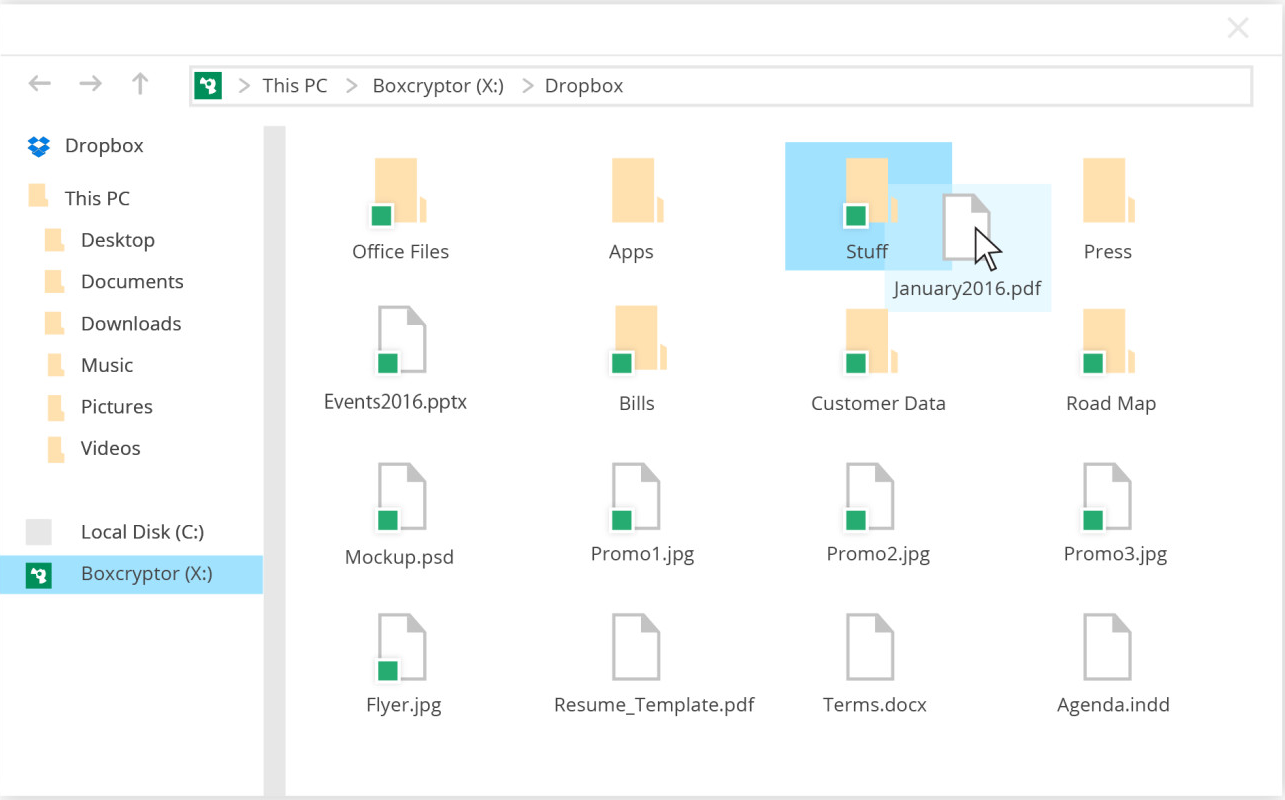
It’s all very simple to use: install, set up an encrypted folder, designate a drive letter for it and enter the password you’ll need to access its contents. And that’s it: access the folder through My Computer like any other drive, then simply sync its contents to your online backup provider instead of your insecure folder. Job done.

Here's a list of the important improvements in BoxCryptor for Windows v1.3:

1) Improved stabitility (e.g. no more BSODs)
2) Improved speed up to 100% (approx. 25MB/sec instead of 15MB/sec)
3) Improved compatibility with other programs
4) Network/Internet access for portable programs executed on the BoxCryptor drive (Hello FirefoxPortable and others!)
5) Programs on the BoxCryptor drive can run as administrator
6) Windows Search support (the BoxCryptor drive can now be indexed by Windows search for a better search experience)
7) Windows File sharing support (folders in the BoxCryptor drive can now be shared over the network)

Verdict:

Quick, simple, elegant. There are other – completely free – methods for encrypting data before uploading it, but none of them are as easy as this. 

Your Comments & Opinion
 
Related Download Articles
 
Cloudfogger for Windows

Cloudfogger 1.1.1349

Freeware

Add an extra layer of protection to your cloud-based backups 

SecretSync for Windows

SecretSync 1.358

Freeware

Encrypt your files before uploading them to Dropbox for greater privacy and security 

AxCrypt 1.7 (32-bit)

AxCrypt 1.7.2687 (32-bit)

Open Source

Protect your confidential data from snoopers with this easy-to-use encryption tool

Eclipse Portable Encryptor 0.22

Eclipse Portable Encryptor 0.22

Open Source

Easily encrypt emails or text within any application

Other Download Articles From This Category
Cloudfogger for Android

Cloudfogger for Android 1.1.1339

Freeware

Access your Cloudfogger-encrypted files through your Android device

Cloudfogger for Windows

Cloudfogger 1.1.1349

Freeware

Add an extra layer of protection to your cloud-based backups 

McAfee Avert Stinger

McAfee Avert Stinger 10.2.0.644

Freeware

Seek out and destroy the most common malware with a click

Anvi Smart Defender 1.0.1

Anvi Smart Defender 1.0.1

Freeware

Protect, speed up and optimise your PC

From Softwarecrew

Please wait while my feed loads

See more posts...

Our Price: $39.95
RRP: $99.95
Saving 60%
Buy Now More Info
Offer Ends In:
 

Spotlight: Free Full Software

Giveaway: WinISO Standard 6.1.0

Free Full Commercial Software

WinISO is a very comprehensive tool which provides everything you need to create, edit and convert disc images.

If you've an image file already, for instance (ISO, CUE/ BIN, NRG, MDF, CCD, IMG and DVD formats are supported) then you can open it in a click or two, browse the image contents, and extract the files you need with a quick drag and drop.

It's just as easy to create new ISO9660, UDF, even HFS+ images. Just choose the option you need, then either manually build up your preferred file and folder structure; drag and drop your files and folders from Explorer onto the program; or create an image directly from a CD, DVD or Blu-ray disc.

Of course you can edit images, too. Is an ISO file too large for your needs, say? Open it up, locate and remove any surplus files to free up a little space.

WinISO program has full support for reading and creating bootable image files. A simple conversion tool makes it easy to convert disc images into the format you need. And the program can even mount ISO files as Explorer files, or burn images to disc when you're ready to save them.

Please note, this trial version of WinISO Standard will not save files greater than 500MB in size.

Giveaway: on Wednesday, we're giving you the full current version of WinISO Standard 6 worth $29.95. The download link here will take you to Downloadcrew Giveaway.

[...]
Time Remaining: