


Many software companies make their CDs or DVDs available online in the form of ISO disc images, and there's no doubt they're easy to use: just download the file, burn it to CD or DVD and you're ready to go.
Virtual CloneDrive can make the process even easier, though, by mounting your image file on a virtual drive. You can then browse the disc's contents using Explorer or any of your applications, without ever needing to burn a copy to disc. Of course this won't help it's a disc you need to boot - a Linux LiveCD, for instance - but if you simply want to browse the contents of an ISO image then this is a simple and hassle-free way to do it.
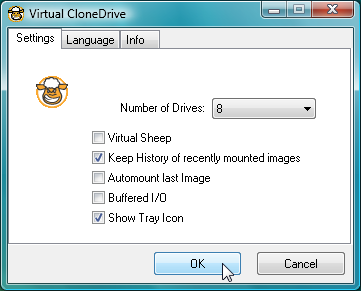
And Virtual CloneDrive is supremely flexible, too. The program supports all the main image formats (ISO, BIN, CCD), can manage up to 8 drives simultaneously, supports 12 different languages for the interface and runs on every version of Windows from 98 through to 7, both 32 and 64-bit. Grab a copy immediately.
Verdict:
Virtual CloneDrive is an essential tool for anyone who ever works with disc images
Your Comments & Opinion
Make the most of your digital photos using Google's image editing and organisation tool
Mount ZIP, ISO, CISO's and more as virtual drives
Disc burning tool which can cater for all your CD and DVD creation needs
Commercial disc burning tool which can cater for all your CD and DVD creation needs
Free disc burning tool which can cater for all your CD and DVD creation needs
A simple, lightweight CD/DVD/BD burning tool
Simplify the task of working with image-based formats including ISO