


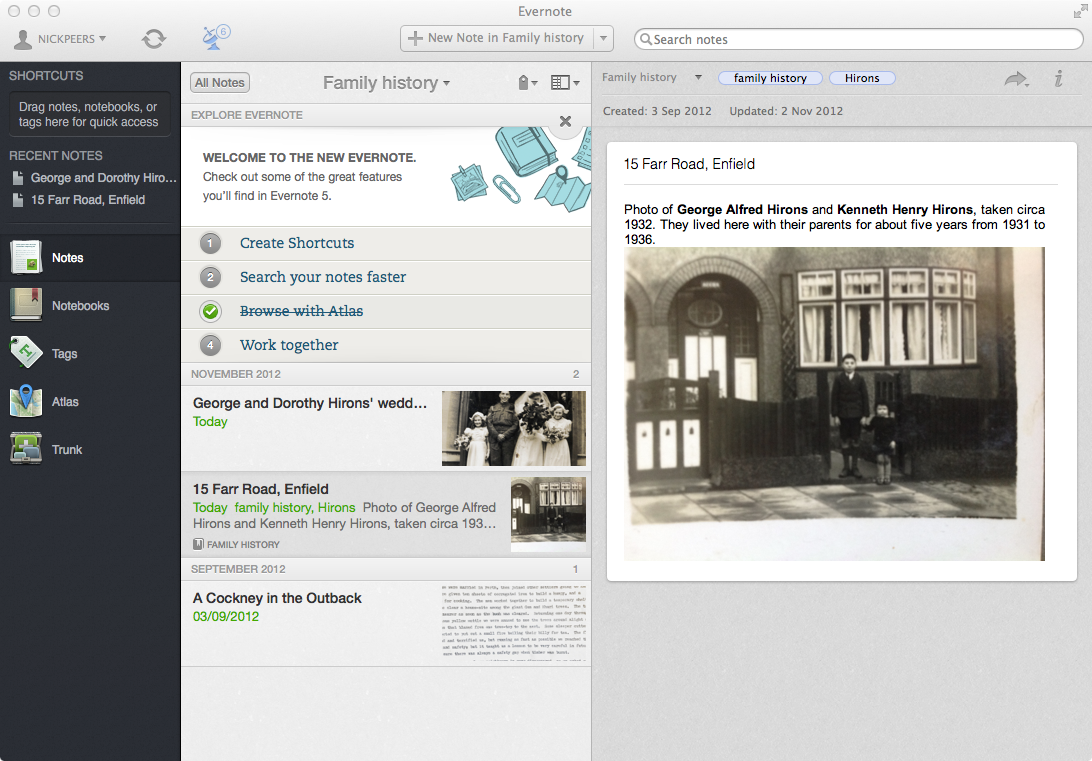
For some workers, taking a laptop and working with a 3G card, from any location is becoming a reality. To make this happen, all you need is the facility to synchronise data with other users and between computers. If you work on your laptop from a hotel room, you’ll want the same notes back on your desktop computer, when you get back to the office.
The the most obvious solution would be to take a USB drive and store your data, then move the drive between computers. However, it’s easy to lose, easy to forget to bring it in to the office and it’s a long-winded approach for making sure your notes are up-to-date on every machine.
Evernote is another idea. It’s a tool which you can use to store your notes, ideas, plans and interesting snippets of your favourite websites and other online material. You can then install another copy of Evernote on a different computer, and the first thing it does is synchronize your notes back on to this machine. Better still, there are version of Evernote for Windows, Mac and your mobile, so you are never far from your notes. You can also store your notes online, so if you are on a host computer where you aren’t able to install new software, simply open your web browser and access your Evernote account.
With Evernote, you can store and synchronize text notes, images, grabs, your photos, media and most other files. You can categorise your information so you can quickly find the files across every machine.
You can also choose to synchronize notebooks with other users. Invite them in to closed groups, add users to these groups and then choose the notebooks you want to share. Give them basic read-only access or allow them to modify, add and remove items. Ideal for sharing "to do" lists or tasks that need to be completely by the group.
Version 5 comes with a major redesign and over 100 new features, including new Shortcuts area for quick access to favourite and recently accessed notes, single “All Notes” list view and brand new Cards view.
The note editor has also been redesigned to expand as required when entering new content, and includes a brand new full-screen single note view, which includes both personal and shared notes. The editor includes tools for quickly adding or updating a note’s location, plus offers a simple option for pasting notes as plain text in other applications.
There’s also a new Atlas view, grouping notes by location, smarter search tools and redesigned activity feed that collapses all redundant information. Finally, a Share banner along the top of a note makes it easy to see if that note is shared and how many others have access to it.
Verdict:
One of the best ideas, notes and thoughts tool gets even better and adds a superb new search feature.
Your Comments & Opinion
Access Evernote on your Android to keep your life in order
Keep organised by creating searchable text, audio and photo notes
Collect, store & share your notes and media across all your devices
Recover lost files, even after deleting a partition or formatting your drive
A cross-platform backup and synchronisation utility that's packed with features no
A cross-platform backup and synchronisation utility that's packed with features
Protect your valuable data with this comprehensive free file-based backup tool