


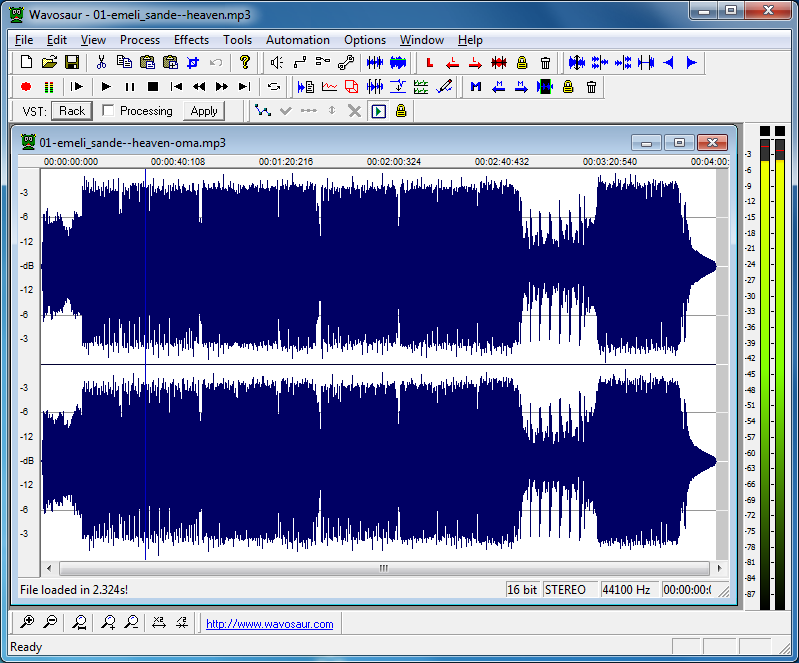
Wavosaur is an unusual audio editor which crams in a host of useful functions and features into its tiny 560KB executable.
Don't be fooled by the name, for instance - as well as WAV files, the program can also import and work with MP3, OGG, AIFF, IFF, AU, SND, VOX, VOC and WVV files. Or you might choose to record audio from scratch.
You're then able to edit the file in many different ways. So you might highlight an unwanted section with the mouse, then delete it, perhaps. There's the option to copy and paste sections of audio from one place in the file, to another. Or you can even paste sections from one file to another, mixing the samples together to produce something new.
There are all kinds of audio processing options on offer. You can tweak or normalise your file's audio, for instance; fade samples in or out using no less than five different methods; shift your file's pitch, resample it, reverse the audio, or convert it to stereo or mono. There's even an option which will attempt to remove vocals from a track, to produce a custom acapella version. If the source material isn't suitable then this can fail horribly, but in our tests it often delivered really impressive results.
And audio experts will find plenty to explore here, thanks to Wavosaur's many effects and analysis tools (you even get ASIO and VST plugin support).
If there's a small issue here it's probably the program's interface, which looks a little cluttered, with a raft of tiny icons packing its toolbars: a little intimidating for audio beginners. But don't let that put you off. It doesn't take long to learn the basics, and you'll soon be using Wavosaur to handle all your audio editing needs.
v1.3:
- Discover new Wavosaur Widgets: Widgets are plugings completely dockable windows with high performance measurements for various audio parameters:
- Real time ouput FFT (multichannel)
- RMS power measurements
- Scope mode for output signal visualization
- Panning for stereo analysis
- Lot’s of bug corrections/optimizations x86 & x64 bits
- Channel processing
- Auxiliary left and auxiliary right channel convertion to mono
- Convertion to mono optimized with mix of only selected channels
- New “Select all” feature on right click
- New FXP and FXB management with strong support of Steinberg VST program and bank files
Verdict:
Wavosaur is a very capable audio editor, with plenty of essential functions and features. If you want to master all of these then it may take a while - there's a lot to learn - but you don't have to delve into the more advanced areas if you don't want to, and the basics are simple enough to use.
Your Comments & Opinion
Trim and tweak problem MP3 files with this simple editor
Record, edit and process audio files with this surprisingly powerful, portable tool
A small but easy-to-use and bit-perfect portable audio editor
A tiny but surprisingly capable music player
Cut, trim, enhance and otherwise edit your music files
Free video recorder and live streaming tool
Free video recorder and live streaming tool
Enjoy digital and internet TV and radio with this one-stop entertainment system
Enjoy digital and internet TV and radio with this one-stop entertainment system
Create stylish web albums from your favourite digital photos