


The fact that it is possible to recover files that have been deleted, or even recover files from a hard drive that has been formatted is unlikely to be news to a lot of computer users. Data recovery tools are now easier to use than ever and while these can be useful when you need to restore files that you have accidentally deleted, the same tools could also be used against you to recover private files from a hard drive you thought had been wiped.
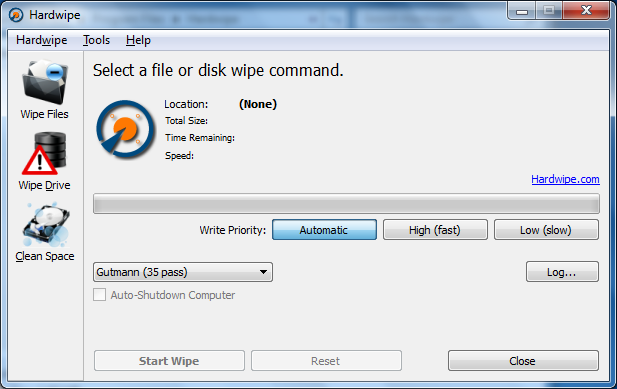
Hardwipe is a free tool that can be used to ensure that the files you delete remain deleted, by first deleting and then overwriting files with random data. Depending on the sensitivity of your data, or the amount of time you have available, you can choose to overwrite your files with random data up to 35 times - this is the industry-standard Gutmann method. The technique can be used to mot only wipe all kinds of hard drive, but also memory cards and USB drives.
This is very useful for any selling a computer or passing on a hard drive, but the program also proves useful for anyone who shares a computer with others and wants to ensure that deleted data does not fall into the wrong hands. This option presents itself in two ways – the ability to wipe individual files and folders in much the same way as wiping an entire drive, and wiping free space to remove traces of other files that have been used.
The main program interface makes the wiping process incredibly simple, but there is also Explorer integration that means it is possible to securely delete files from the context menu. The program also gives you the option of wiping the contents of Windows’ swap file which can reveal a great deal of information about what you have been using your computer for. As some of the wiping operations can be quite lengthy, the ability to automatically shut down your computer on completion is very welcome.
Please note: commercial editions are available from $12.95. They remove the upgrade ads, add more features and are licenced for commercial use.
Version 5.2.1 changes (see changelog):
Bug Fix: Hardwipe Commander did not display some non-Latin characters properly.
Bug Fix: Hardwipe Commander did not handle wild-card characters properly if not directory was specified.
Verdict:
A valuable security tool which should put your mind at rest when it comes to deleting files.
Your Comments & Opinion
A simpler way to manage your iPhone, iPad or iPod
Find duplicate files on your hard drive to free up space
Quickly and securely delete data so it cannot be recovered
Ensure that the data you delete from your hard drive stays deleted
Find and delete duplicate files on your Mac
Take control of Windows built in firewall
Combined AVAST and AVG technology for one powerful free security tool
One of the most popular free security suites receives a major update
Avast's premium security suite is more powerful than ever
AVGs mid-range security suite for all your devices