


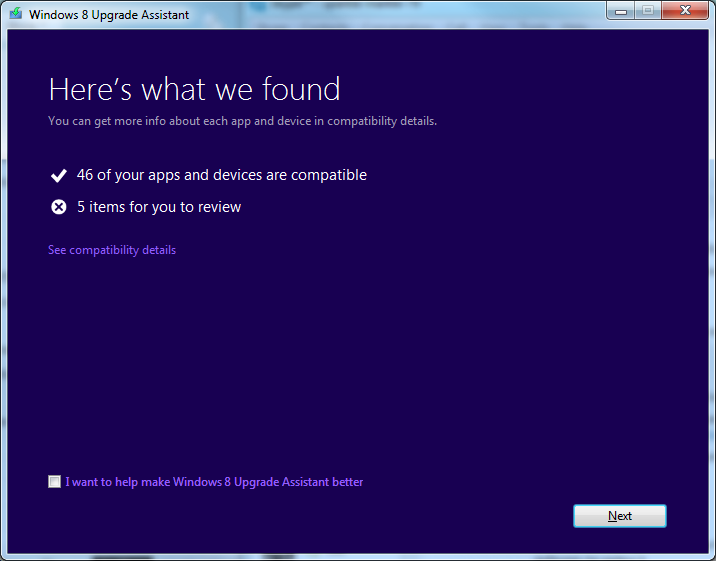
Windows 8 has a very lenient set of system requirements and the chances are that if your machine is capable of running a recent version of the operating system to a decent degree, you should have no trouble with Windows 8. That said, it is always a good idea to check these things out and as has happened with previous versions of Windows, Microsoft has release the Windows 8 Upgrade Assistant to make it easy to check hardware and software compatibility.
The app takes the form of a simple wizard which is entirely automated. The assistant will spend a few minute examining your system in detail and you’ll then be provided with a list of software and hardware that will or will not work under Windows 8. Everything you have installed will be broken down into list of compatible hardware and software, and those that need your attention.
In some instances you will simply be told that a particular program or piece of hardware is completely incompatible and you will then have to look to the manufacturer to see if there are updates available. Some software, such as iTunes, has advisory steps that should be followed, and the assistant will also point out any features of your current version of Windows that are not available in Windows 8.
You are then asked to say which of your current files and settings you would like to transfer to Windows 8. This information is used, along with details of the hardware and software you have, to determine which version of Windows 8 is most suitable for your needs. You are then invited to purchase the download edition of Windows 8with the option of adding a backup DVD for an extra fee.
Verdict:
Useful for both Microsoft and potential upgraders, this is a handy tool that performs compatibility checks and makes upgrades a breeze.
Your Comments & Opinion
Restore the Start button to the taskbar of Windows 8
Configure your Microsoft mouse and keyboard for Windows 8
Transfer your files and settings from OS X Leopard to Lion
Completely uninstall unwanted programs in minutes
Automate any task on your computer with this powerful scripting tool
Quickly create industry-standard PDF files from any printable document
Powerful text search/ replace for Windows
Monitor your PC's temperature, voltages, CPU frequency and more with this powerful stability checker