
From Twitter

Please wait while my tweets load

If you can't wait - jump to Twitter

See more tweets...

RSS Feed

Please wait while my feed loads

See more posts...

Newsletter

Subscribe to either one of our two newsletters for regular updates and information

Downloads newsletter

This is a weekly newsletter with download news, updates and other information

This is a monthly newsletter with software store information, offers and deals

WinSnap 4.0.4

Capture screenshots quickly and easily with this powerful, but resource-friendly, tool

by Nick Peers

Our Rating:
Your Rating:
Login to rate
Based on 0 ratings
License: Shareware
Operating Systems: Windows 7 (32 bit), Windows 7 (64 bit), Windows 8, Windows Vista (32 bit), Windows Vista (64 bit), Windows XP
Requirements:

 Windows 2000 requires GDI+ (available with the program installer from here)

Languages: English
Software Cost: $24.95 (Windows)
Date Updated: 08 May 2012
Watchlist: Add download to my watchlist
Downloads To Date: 293
Developer: NTWind Software
RSS News Feed: http://www.ntwind.com/rss.xml
Buy TuneUp Utilities 2012 for only $18.99, with lifetime license, saving 62% from MSRP, only from store.downloadcrew.com
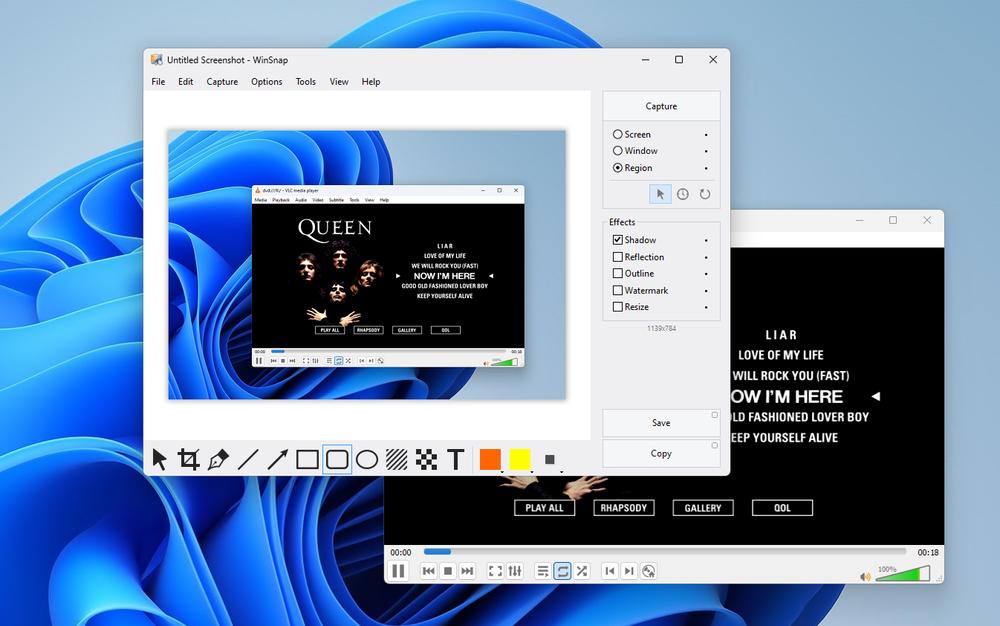
WinSnap’s user interface
You can tweak your captured image easily using WinSnap.

Windows has always featured some kind of basic screen grabbing tool, from the incredibly primitive Print Screen key that copies the entire screen to the clipboard to the Snipping Tool of Vista and Windows 7, which enables you to grab selected parts of the screen or active windows, with or without the mouse cursor.

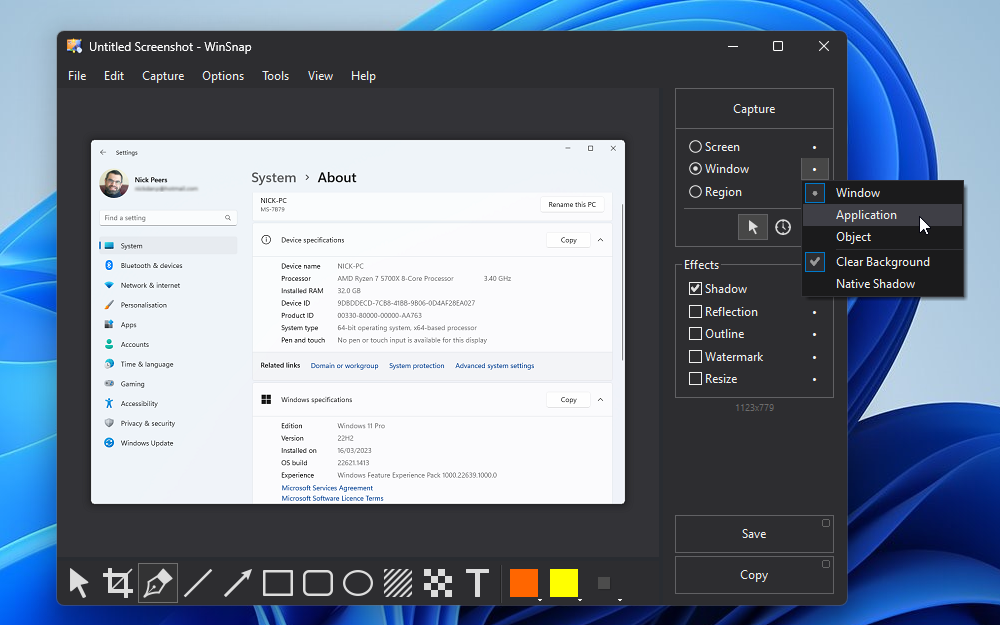
For most people this may be enough, but if you’re after a professional solution that supports a wider range of features and options, then WinSnap has to be a serious contender. It’s small and unobtrusive, but gives you complete control over the screen or portion of the screen you’re grabbing, including options for window, region, application (enabling you to capture two or three open windows from the same application without grabbing the background) and object, which gives you complete control over which screen elements to include with a handy Ctrl-click selection.

Its major selling point is its support for the Aero background, plus there are some handy post-production effects: add shadows, reflections and highlights, rotate your image,watermark your screen captures, insert your own background and create thumbnails.

WinSnap is also the perfect example of a good shareware tool: a low price (US$24.95) that entitles you to a lifetime of updates, which come quickly in response to many user requests - the latest version (4) is a good example of this, introducing a user-defined delay on screen captures along with countdown clock. You can also install it on as many computers as you own.

WinSnap 4.0.4 brings these changes:

-Support for Windows 8 Consumer Preview
-Added "Copy images with transparency" option
-Added application and folder icons in Tools menu
-Right-click on empty area opens Advanced File menu
-Changed default window size for different resolutions
-Fixed control and window sizes in high DPI mode
-Removed "LICENSED TO" from the titlebar in the registered version
-Several other minor improvements and bug fixes

Verdict:

It’s almost perfect, but not quite: other tools have more features, but its small footprint, excellent value and well-designed interface add up to make it a must buy for anyone who needs a reliable screen capture tool for personal or professional purchases.

Your Comments & Opinion
 
Related Download Articles
 
WinSnap’s user interface

WinSnap Portable Edition 3.5.3

Shareware

Capture screenshots quickly and easily with this powerful, but resource-friendly, tool

Screenshot Captor Portable

Screenshot Captor Portable 3.04.01

Freeware

Quickly and easily take screenshots using keyboard shortcuts

Screenshot Captor

Screenshot Captor 3.04.01

Freeware

Quickly and easily take screenshots using keyboard shortcuts

Shotty 2

Shotty 2.0.2

Freeware

Grab, edit and upload screen captures with ease

Other Download Articles From This Category
PicPick

PicPick 3.1.5

Shareware

Capture, edit and upload images in a flash with this powerful screen capture program

jAlbum 10.7.2

jAlbum 10.7.2

Free, for personal-use only

Create stylish web albums from your favourite digital photos

Apple QuickTime 7.7.2

Apple QuickTime 7.7.2

Freeware

High quality video player which can be used for online and offline viewing

K-Lite Codec Pack Standard

K-Lite Codec Pack Standard 8.8.0

Freeware

All the codecs you need to play virtually any video or audio you may encounter

From Softwarecrew

Please wait while my feed loads

See more posts...

Our Price: $69.95
RRP: $99.95
Saving 30%
Buy Now More Info
Offer Ends In:
 

Spotlight: Free Full Software

Giveaway: WinISO Standard 6.1.0

Free Full Commercial Software

WinISO is a very comprehensive tool which provides everything you need to create, edit and convert disc images.

If you've an image file already, for instance (ISO, CUE/ BIN, NRG, MDF, CCD, IMG and DVD formats are supported) then you can open it in a click or two, browse the image contents, and extract the files you need with a quick drag and drop.

It's just as easy to create new ISO9660, UDF, even HFS+ images. Just choose the option you need, then either manually build up your preferred file and folder structure; drag and drop your files and folders from Explorer onto the program; or create an image directly from a CD, DVD or Blu-ray disc.

Of course you can edit images, too. Is an ISO file too large for your needs, say? Open it up, locate and remove any surplus files to free up a little space.

WinISO program has full support for reading and creating bootable image files. A simple conversion tool makes it easy to convert disc images into the format you need. And the program can even mount ISO files as Explorer files, or burn images to disc when you're ready to save them.

Please note, this trial version of WinISO Standard will not save files greater than 500MB in size.

Giveaway: on Wednesday, we're giving you the full current version of WinISO Standard 6 worth $29.95. The download link here will take you to Downloadcrew Giveaway.

[...]
Time Remaining: