


When you think of installing a new email client, there aren’t too many options. If you happen to be both a Windows and Mac user, and want to use the same client across both computers, Thunderbird would be your most obvious choice.
Microsoft Outlook and the Mac-based Entourage are obvious options. However, Entourage isn’t the best commercial e-mail client and, to be fair, it isn’t cheap. You have to purchase Mac Office to install it on your computer and most users prefer the free Apple Mail.
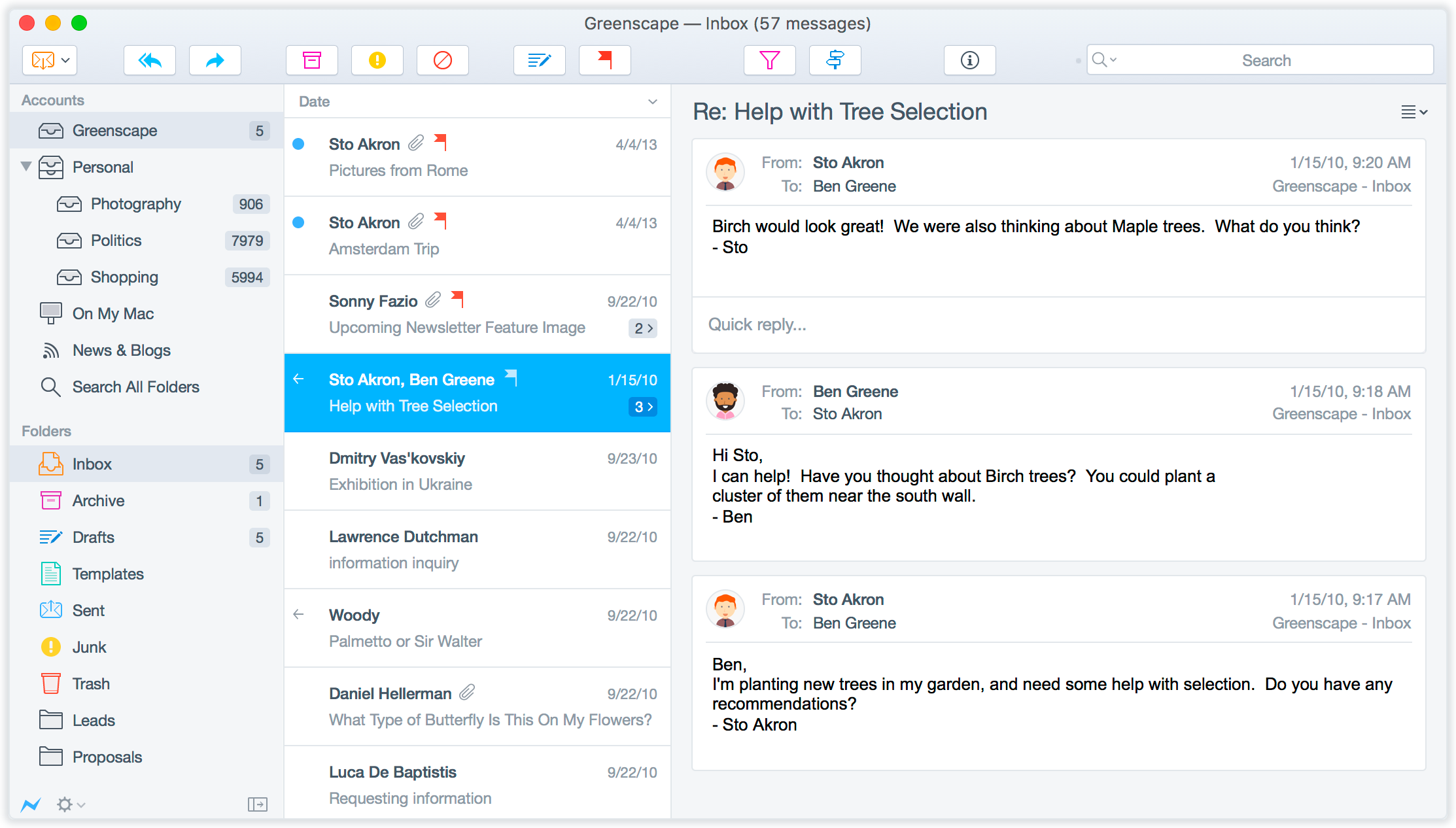
Another choice is Postbox. This is a cross-platform commercial email client, based on the Mozilla platform, but with a whole host of new and powerful features that make it worth considering. If you’re used to a tabbed interface in your web browser, then using Postbox will be a breeze. You can open multiple emails within tabs, rather than separate windows. It separates the components of your email, so you can quickly see the main message, attachments, images, links and contacts associated with the email.
Search for an email within Postbox and you do not have to wait minutes for the result. The search options are presented immediately, much like spotlight in Mac OS X.
Reading emails through Postbox is made easy by the use of threaded discussions, so it will group together emails from various people, around the same topic. You can quickly open the topic and see every response. Ideal for following a conversation.
Verdict:
This new email client is ideal for both Windows and Mac users who is seeking a powerful system with a range of professional features
Your Comments & Opinion
If you purchased Postbox 5 then you are entitled to a free upgrade to Postbox 6 and Postbox 7. Please contact the store and they would be happy to help you out!
- Postbox
Using Thunderbird now and it works just a good as
Postbox. I really hope they start treating their customers better.
So why on earth would I want to pay for this?
The PC & Tech Authority "review" is a joke. It doesn't list any special features or makes any comparisons with other mail clients. It is simply a repeat of the maker's publicity article!
Manage your emails with this powerful and secure email client
New commercial cross-platform email client that offers a range of professional features
The longest-serving PC email system
Minimalist email program for those who don’t need a fancy interface or loads of extra features
Take control of your Gmail inbox with a Firefox extension
A versatile messaging app for all your devices
A versatile messaging app for all your devices
Open-source password manager goes straight to the top of the class.
Open-source password manager goes straight to the top of the class.
Open-source password manager goes straight to the top of the class.