


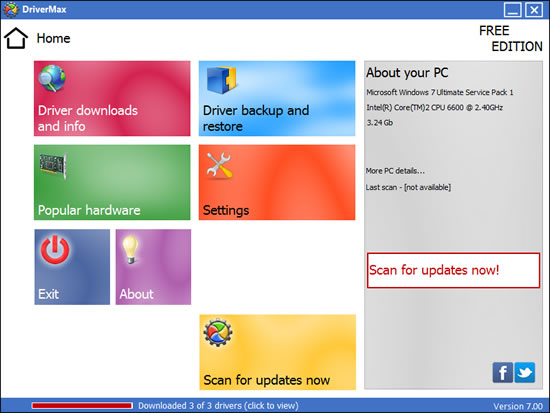
All hardware requires the installation of drivers in order to function correctly, and these drivers are constantly updated to fix problems, add new features and enhance performance. While Windows Update can be used to check to see if there are any driver updates available, it can often take a while for new releases to be published to the site.
DriverMax can automatically check online for you to see if there are any new drivers available for the hardware you have installed. This helps to eliminate the need to manually check the web sites of hardware manufacturers and download drivers in this way. DriverMax can also backup all or some of the drivers you currently have installed. These are stored in a compressed zip file, so should you ever have to reinstall Windows, you will already have all of the necessary drivers to hand.
Drivers have long been the bane of Windows users' lives, but DriverMax goes a long way to making them as painless as possible.
Verdict:
DriverMax is a good supplement to Windows Update, but still not as effective as manual checks.
Your Comments & Opinion
So I decided to uninstall the program............this is where the real problems start, uninstall goes OK except all it uninstalls is the program leaving many stray files n the PC, icon in toolbar (which is impossible to delete) & popups etc that appear when you watch a film or sports, similar to those you get on Youtube but 10 times as large!
After searching the web I found many suggestions to help.
One suggested going to I/Explorer cookies, I found what I thought was the problem, it deleted it (from the toolbar) but next day it was back, also the window still appears when viewing TV. This means they have access to your PC even after UNINSTALL.
I ALSO WENT TO THE their official WEBSITE where you find they give you anotherproduct name to delete, not DriverMax.
I also tried restoring my PC to 2 different restore points before I installed DriverMax, it made no difference. I guess the only way to get rid of them is re-install windows.......maybe!
www.downloadcrew.com reply:
Sorry, sadly you are incorrect. We've just tested it.
If you pick custom mode, you simply keep 1/2/3 checked OFF and nothing extra is installed. After we kept these checked off, nothing was installed in either Internet Explorer or Chrome. No toolbar, search engine remained our choice and no AVG Secure Search.
Are your drivers up-to-date? Here's how to find out
Automatically keep all of your drivers up to date for the best performance and security
Update/ backup/ restore your PCs drivers
Scan, locate and download the latest drivers for your PC
Quickly identify any driver updates available for your PC
Identify and update hardware drivers with the minimum of fuss
Quickly locate the latest drivers for your hardware
Manage your files and folders with this dual pane tabbed Explorer replacement
Find out more - much more - about your PC with this benchmarking, diagnostic and system information tool
Host a virtual operating system
Host a virtual operating system
Host a virtual operating system