From Twitter

Please wait while my tweets load

If you can't wait - jump to Twitter

See more tweets...

RSS Feed

Please wait while my feed loads

See more posts...

Newsletter

Subscribe to either one of our two newsletters for regular updates and information

Downloads newsletter

This is a weekly newsletter with download news, updates and other information

This is a monthly newsletter with software store information, offers and deals

Opera Next 12.15 build 1745 RC2

Get an early look at the next version of Opera without affecting your stable installation 

by Nick Peers

Our Rating:
Your Rating:
Login to rate
Based on 4 ratings
License: Freeware
Operating Systems: Linux, Mac OS X, Windows 7 (32 bit), Windows 7 (64 bit), Windows 8, Windows Vista (32 bit), Windows Vista (64 bit), Windows XP
Requirements:


Languages: English
Software Cost: Free
Date Updated: 23 March 2013
Watchlist: Add download to my watchlist
Downloads To Date: 19206
Developer: Opera
RSS News Feed: http://my.opera.com/desktopteam/xml/rss/blog/
Twitter Feed: http://twitter.com/opera
Facebook: http://www.facebook.com/Opera
Buy the new TuneUp Utilities 2013 for only $16.95, with lifetime license, saving 58% from MSRP, only from store.downloadcrew.com
Opera Next 12.15 RC
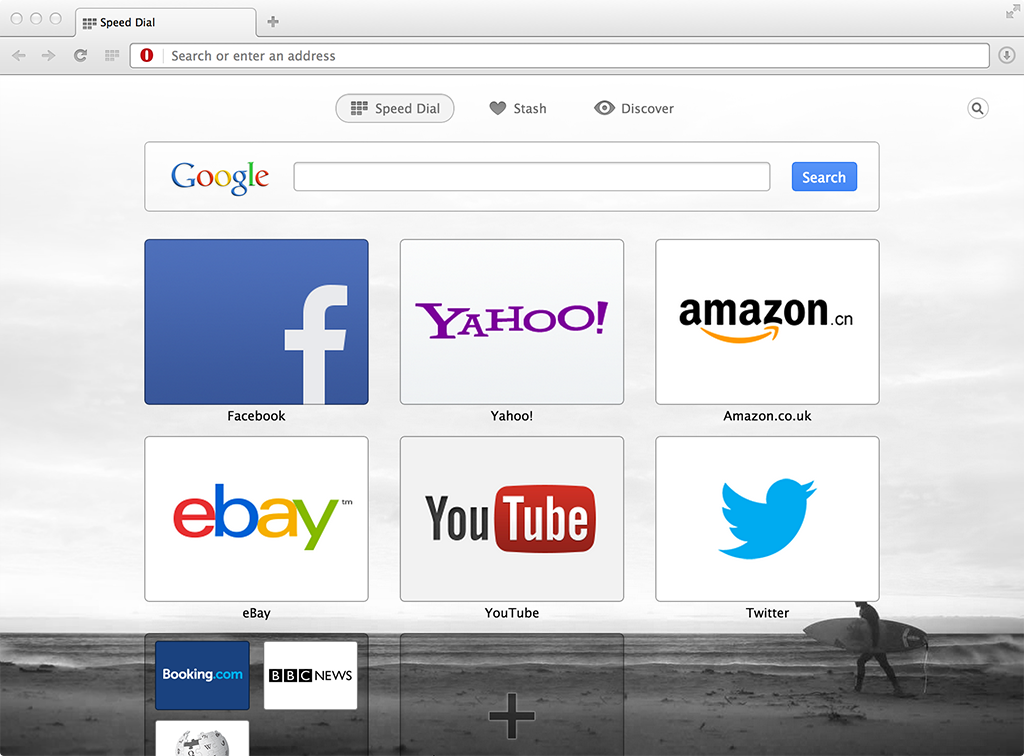
Opera Next runs alongside existing stable versions of Opera.

The days when major browser updates were few and far between are over. Nowadays, it’s de rigueur for browser manufacturers to speed up development, which means opening up less stable builds to the masses in order to get them bug-checked as quickly as possible.

Opera is no exception, and Opera Next adopts the same approach to Firefox Aurora in providing a completely separate installation of the latest unstable version of Opera for people to road-test without affecting their day-to-day browsing. 

The reasoning is simple: you get to try out the new features without affecting your existing installation, so if the developmental version is too buggy for your tastes, you can use your tried and trusted version, no problem. And because Opera Next updates as soon as the latest development build is released, you can keep checking back regularly to see what’s up and coming and whether the bugs you’ve encountered have been fixed yet.

You’ll be able to differentiate between stable and developmental build by the colour of the program icon: Opera’s icon remains red, while Opera Next’s icon is silver grey, meaning it’ll be safe for even relatively inexperienced users to try out new features before they become generally available.

This is a release candidate of the forthcoming 12.15.

Verdict:

Opera Next is a great way to safely road-test upcoming features in this slimline and powerful browser without affecting your existing, stable installation. 

Your Comments & Opinion
 
Related Download Articles
 
Opera 12.15

Opera 12.15 FINAL

Freeware

Minor update to the alternative web browser, with faster startup, hardware acceleration and 64-bit support

Opera Next 12.15 (64-bit)

Opera Next 12.15 build 1745 (64-bit) RC2

Freeware

Get an early look at the next version of Opera without affecting your stable installation 

Opera Next 12.50

Opera Next 12.50 'Marlin' build 1583 (64-bit)

Freeware

Get an early look at the next version of Opera without affecting your stable installation 

Opera Next 12.50

Opera Next 12.50 'Marlin' build 1583

Freeware

Get an early look at the next version of Opera without affecting your stable installation 

Other Download Articles From This Category
WinSCP

WinSCP 5.1.5

Open Source

This easy-to-use SFTP and FTP client will protect your file transfers from snoopers

The Bat! Professional Edition

The Bat! Professional Edition 5.3.10

Trial Software

Manage your emails with this powerful and secure email client

The Bat! Home Edition 5

The Bat! Home Edition 5.3.10

Trial Software

Manage your emails with this powerful and secure email client

NetDrive 1.3.4

NetDrive 1.3.4

Free, for personal-use only

Access remote storage locations through Explorer just like a local hard drive

From Softwarecrew

Please wait while my feed loads

See more posts...


Spotlight: Free Full Software

Ashampoo Burning Studio 2013 (v11.0.6)

Free Full Commercial Software

Ashampoo Burning Studio 2013 is a compact, simple, but surprisingly feature-packed disc burning suite.

The program makes it easy to create simple data discs and audio CDs, for instance: just drag and drop your files onto the list area and you'll be burning the finished disc in a couple of clicks.

That's just the start, though. Burning Studio 2013 can also create data discs with customised, interactive multi-page menus, perfect if you'd like a more professional way to share and present the disc contents.

A built-in backup tool allows you to create backups which may be encrypted, compressed, and span several CDs, DVDs and Blu-rays.

And there are modules to create VCD or SVCD video projects; burn video DVDs or Blu-ray discs from prepared folders; create, browse or burn disc images (ISO, CUE/ BIN and Ashdisc formats are supported); copy discs, erase them, design and print disc covers, labels and booklets, and more.

The focus throughout is on ease of use, though, and so Ashampoo Burning Studio 2013 remains very straightforward, whatever you're doing. Most disc projects are created via the same simple interface, and for the most part all you have to do is drag and drop the necessary files. But experts will find more advanced options are only a click away, and if you need to then you can set ISO and UDF version, enable Joliet, make a disc bootable and more.

Note the download here will take you to the Downloadcrew Software Store where you can download Burning Studio 2013.

[...]
Value:
Free
Rating: