


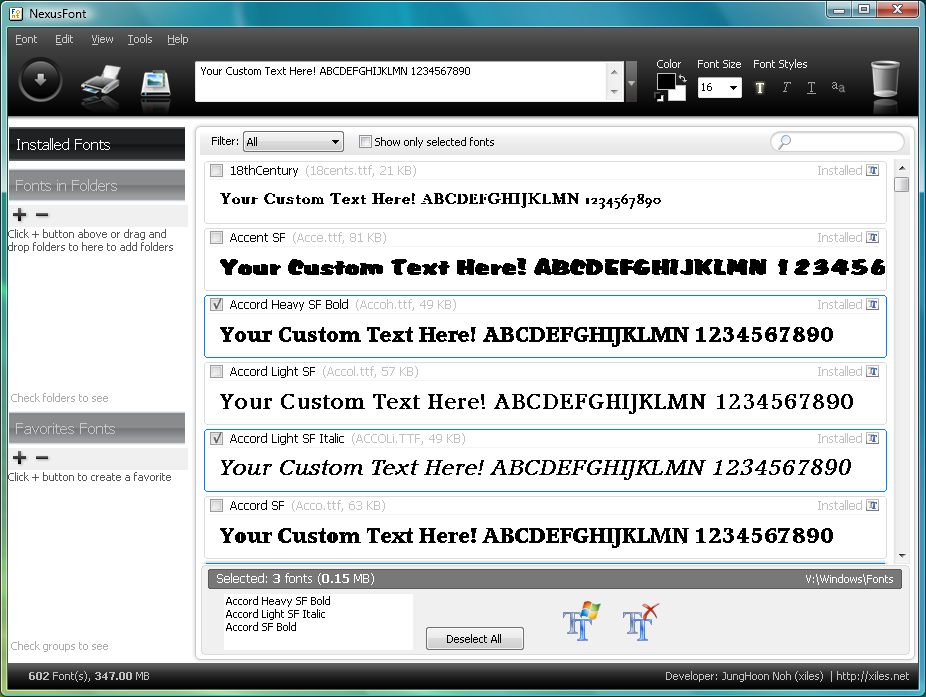
Choosing the appropriate font in Windows is usually a lengthy process involving lots of trial and error. You'll see a font that looks like it might work, but the sample text in the font selection dialog is never enough to find out, so you'll pick fonts, one by one, until you find the best.
NexusFont improves on this immediately by letting you create your own custom sample text. Type a lengthy sentence, if you like; choose the colour, the font size or style; and the program will immediately display your text using each installed font, so it's very easy to spot which one best suits your needs.
Surprisingly, you can also customise NexusFont to include fonts that you haven't installed yet. Just point the program to a folder containing any fonts you've downloaded, and they'll also be displayed on the list. This works as a useful preview tool, giving you a closer look at particular fonts without having to go to the hassle of downloading them.
And of course there are plenty of convenient management tools to help keep your fonts in order. You can copy selected fonts to a folder, for instance, to create a backup; find duplicate fonts by searching the folders you specify; install new fonts, or uninstall existing unused fonts to improve your PCs performance.
Verdict:
A very handy add-on for anyone who has lots of fonts and regularly needs to choose between them
Your Comments & Opinion
Quickly preview all your fonts on a single page
An advanced font management tool to help you work with your library effectively
An advanced font management tool to help you work with your library effectively
Create and edit TrueType or OpenType fonts - for free
Manage your collection of fonts with this powerful typography tool
Install and use Google Fonts offline
A powerful, open-source 3D CAD modeling tool
A powerful, open-source 3D CAD modeling tool
A powerful, open-source 3D CAD modeling tool
Get creative with this impressive paint tool which boasts support for Photoshop plugins
Get creative with this impressive paint tool which boasts support for Photoshop files