


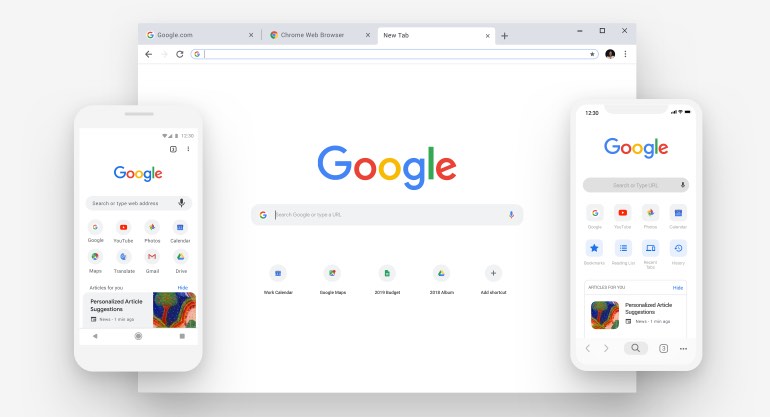
Unlike iOS, there is no standard browser that is used across the Android platform, despite the fact that the mobile operating system comes from Google, the same company behind the Chrome web browser. Now, this has changed with the release of Chrome for Android. As with other mobile browsers, tabbed browsing is available, along with a pleasingly clear interface and cross-platform synchronization.
If you are already using Chrome as your main browser on your PC or Mac, you’ll be aware that it is possible to synchronize not only information such as your bookmarked sites and browser settings between computers, but also open tabs. This idea has also been brought to the mobile version of the browser, essentially providing you with a seamless browsing experience as you move from one device to another.
When it comes to working with tabs, there is a very pleasing stacked view that makes it easy to navigate between open tabs. One of the problems that many people have with mobile web browsers that pages can be slow to load and rendering can leave a little to be desired. Chrome for Android is quick to use and pages look good and there are a couple of interesting way to interact with your browser. To navigate between tabs you can simply swipe left and right, and when you are in tab preview mode you can tilt your devices to zoom in and out.
Verdict:
You can now get an official Chrome web browser for your Android device, sync data with your desktop and more. Recommended.
Your Comments & Opinion
Get an early peek at the next stable release of Chrome without putting your system too much at risk
Bookmark sites, videos and images to view at a later date
Bookmark sites, videos and images to view at a later date
Final release version of Microsoft's Chromium-powered Edge browser
Final release version of Microsoft's Chromium-powered Edge browser
Manage, view, convert, sync and remotely access your e-books with this all-in-one management tool
Manage, view, convert, sync and remotely access your e-books with this all-in-one management tool
Manage, view, convert, sync and remotely access your e-books with this all-in-one management tool