


Capture2Text is a surprisingly simple (and portable) OCR tool.
The program can capture text from anywhere on your screen, for instance. Just move your mouse cursor to the top left of the text; press the hotkey (Win+Q by default); move the mouse cursor to the bottom right of the text; click the left mouse button, and the decoded text ends up in the clipboard.
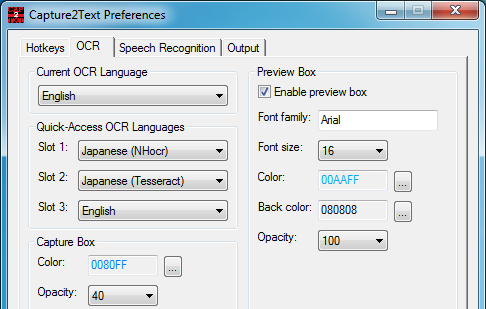
If any of this doesn't work quite as you expect then there are lots of configuration options which can help. You're able to customise the hotkeys, set a new language for OCR, or maybe tweak the output settings so the text goes directly to a program, rather than the clipboard.
We had a few problems when testing the program. The hotkey didn't work consistently, for instance. And the OCR accuracy was generally poor.
There are plenty of issues which may influence this, though, so if you're interested in the core idea then there's no harm in giving the program a try: you may have more luck.
Version 4.6.2
- Updated Tesseract (3.05.00dev). - Support for additional languages. - Added the "OCR Method" setting. - NHocr is no longer packaged (but may still be copied from previous versions to the Utils folder)
Verdict:
Capture2Text wasn't accurate enough for us, but the program is also compact, convenient and easy to use - if you're interested in the core idea, we'd recommend you try it anyway, see what it can do for you
Your Comments & Opinion
Quickly extract text from images or PDF files - for free
Clean up your scanned documents with this easy-to-use tool
Grab text from images, videos and more
Scan documents to create editable PDFs with your mobile
A notepad/ to-do tool with cloud sync
Transform your desktop with this customisation tool
Monitor your PC's temperature, voltages, CPU frequency and more with this powerful stability checker
Easily monitor exactly what's happening with your GeForce or Radeon-based graphics card
A configurable system monitor