


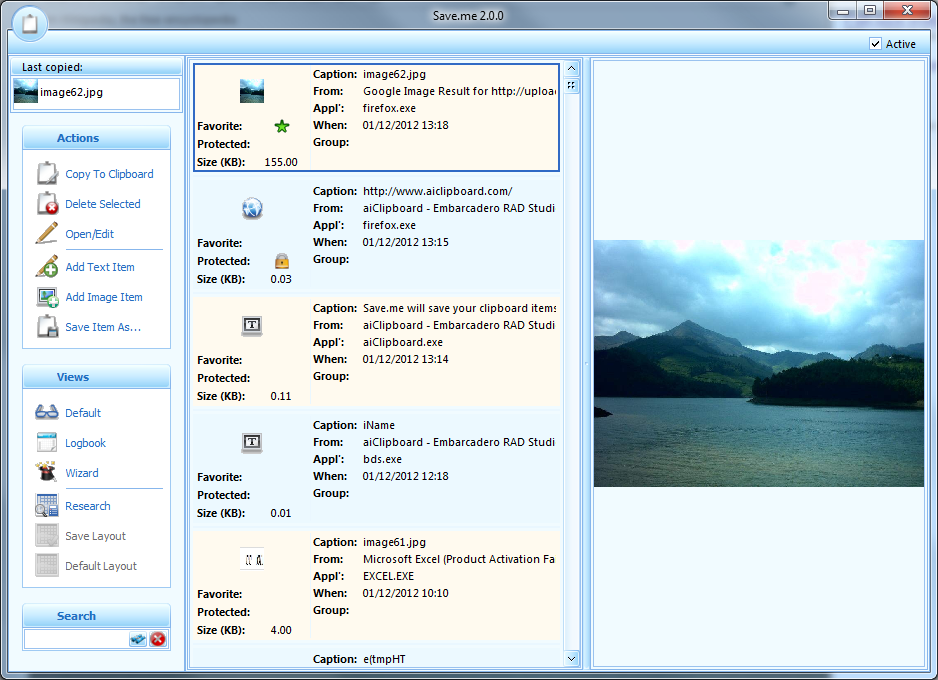
Save.Me is an extended clipboard manager, saving absolutely everything you copy there: text, images, URLs, files, folders, whatever it might be. And so if, later, you realise you need to refer back to a URL, all you have to do is open the program, and scroll back through your activity until you find whatever you're after.
Save.Me's in-depth record of your copy and pasting is one of the program's strong points. Other clipboard managers might just display a snippet of text, for instance, but this one tells you when it was copied, from which application, and its total size in kilobytes, as well as allowing you to preview the item. And when you've found the relevant object, a double-click will copy it to the clipboard again, ready for immediate reuse.
Save.Me saves its information to disk, too, so your records will survive across reboots. And over time this means they can build up, making it more difficult to find what you need. But the program can help with a calendar-type view where you can, say, click on last Saturday (or whatever) to see what hit the clipboard on that day. Or the built-in Search tool will locate items according to whatever keywords you enter.
Verdict:
Save.Me has a good set of features, but displayed some technical issues, in particular hanging for 15-30 seconds before previewing one or two clipboard items. That made it unusable for us, but we don't know if it's a general issue, so if you're interested in the idea then we'd give it a try anyway (there's no adware or other annoyances involved).
Your Comments & Opinion
Record all the text items pasted to your clipboard with this powerful clipboard manager
A handy extension to the clipboard that makes it even more useful
A powerful, configurable clipboard manager
M8 Free Multi Clipboard offers a no-frills extension to the clipboard
Ditch the Windows Clipboard for something more versatile and powerful
Browse the contents of your clipboard
Instantly remove (most of) the formatting of any text in your clipboard
Clean up your hard drive and shred sensitive data with this open-source tool
A notepad/ to-do tool with cloud sync
Manage your files and folders with this dual pane tabbed Explorer replacement
The first of many official tools to enhance Windows
Convert almost any documents to PDF format in a click