


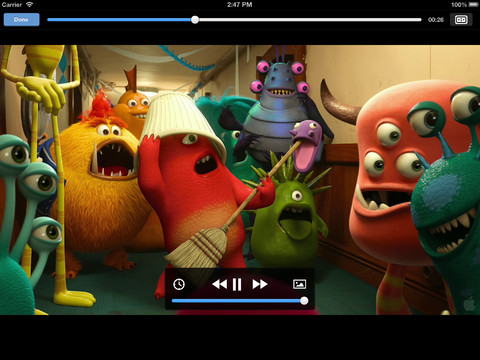
The iPad's large touch screen is crying out to be used for watching movies, but the built in support for video formats is a little limited. This is something VLC Media Player aims to correct by offering support for huge range of formats including DivX and Xvid.
As there are so many different video formats available, when it comes to watching movies on a Mac or PC, all you need to do Is ensure that the relevant codec is installed. The installation of codecs is not possible in the iPad, so the emergence of VLC Media Player opens up a new world of files formats.
The media player includes support for subtitles - all you need to do is ensure that the name of the subtitles file matches that of the video file and the text will be automatically displayed. Playing videos is a simple matter of connecting the app to iTunes using file sharing and selecting the videos you'd like to work with.
Movies are then displayed in VLC Media Player in a way that closely resembles iBooks for easy browsing. The app represents a great way to watch a wide range of different video formats on your portable Apple device without the need for time-consuming file conversion.
What's New in Version 3.1.0?
- We added a feature many of you waited for: Chromecast support
- We fixed a bug where files on your phone were not displayed in VLC
- 360 videos can be viewed by moving your phone now
- Stability and performance improvements when decoding H.264/H.265 in hardware
- Improved audio playback quality
- Fixed a regression preventing the download of certain media files via http
- Fixed a regression where downloaded files might disappear
- Fixed a regression where users couldn't log into Google Drive
Verdict:
Far and away the best media player available for the iPad, VLC Media Player is an essential installation.
Your Comments & Opinion
A Winamp-like media player
Control and view your Sling Box media on your iOS device
High quality video player which can be used for online and offline viewing
Use your Mac to fall asleep and wake up
An all-powerful media player that while cope with almost any file format
Media player designed to bring PC, Xbox 360 and Windows 7 phones together under Microsoft's entertainment wing
Stream a range of media files from your PC to your Android device
Stream audio and video to your Android mobile without the need to convert it first
Convert DVD and Blu-ray for playback on your computer or Apple portable device
Compose, arrange, mix and master your audio projects
Compose, arrange, mix and master your audio project
Compose, arrange, mix and master your audio projects
Free video recorder and live streaming tool