From Twitter

Please wait while my tweets load

If you can't wait - jump to Twitter

See more tweets...

RSS Feeds

Receive a regular RSS feed from our latest, most popular and recommended downloads

Latest downloads feed

Get a regular RSS from our most latest downloads

Most popular downloads feed

Get a regular RSS from our most popular downloads

Recommended downloads feed

Get a regular RSS from our recommended downloads

Newsletter

Subscribe to either one of our two newsletters for regular updates and information

Downloads newsletter

This is a weekly newsletter with download news, updates and other information

This is a monthly newsletter with software store information, offers and deals

IObit Smart Defrag 2.4

Automatically defragment your hard drive to ensure it's always running at peak performance

by Mike Williams

Our Rating:
Your Rating:
Login to rate
Based on 2 ratings
License: Freeware
Operating Systems: Windows 2000, Windows 7 (32 bit), Windows 7 (64 bit), Windows Server, Windows Vista (32 bit), Windows Vista (64 bit), Windows XP
Requirements:


Languages: English, Arabic, Bahasa, Brazilian, Chinese, Czech, Danish, Dutch, Finnish, French, German, Hungarian, Icelandic, Italian, Korean, Norwegian, Polish, Portuguese, Romanian, Russian, Spanish, Ukranian, Vietnamese
Software Cost: Free
Date Updated: 11 May 2012
Watchlist: Add download to my watchlist
Downloads To Date: 2774
Developer: IObit
RSS News Feed:
Buy TuneUp Utilities 2012 for only $18.99, with lifetime license, saving 62% from MSRP, only from store.downloadcrew.com
IObit Smart Defrag 2.3
Defragment your hard drive in the background

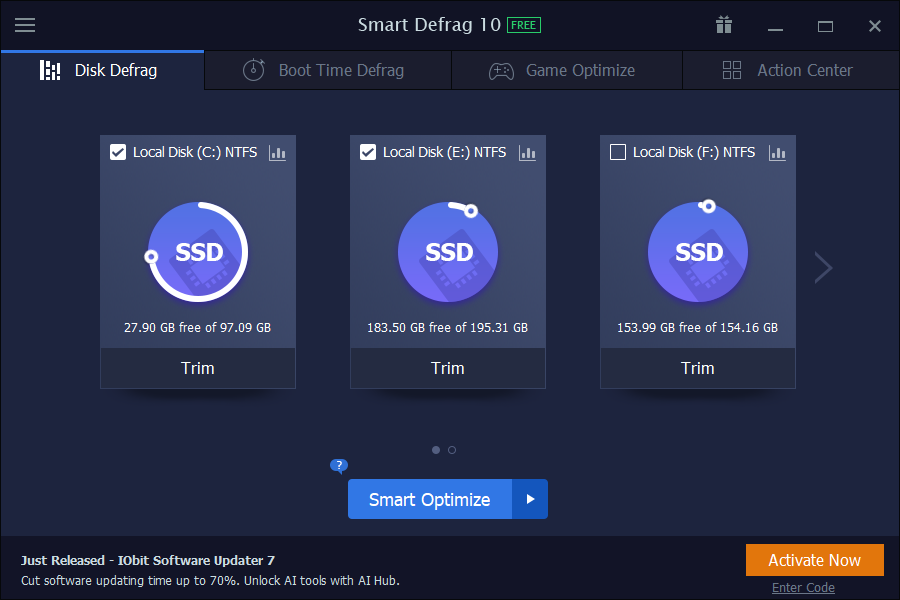
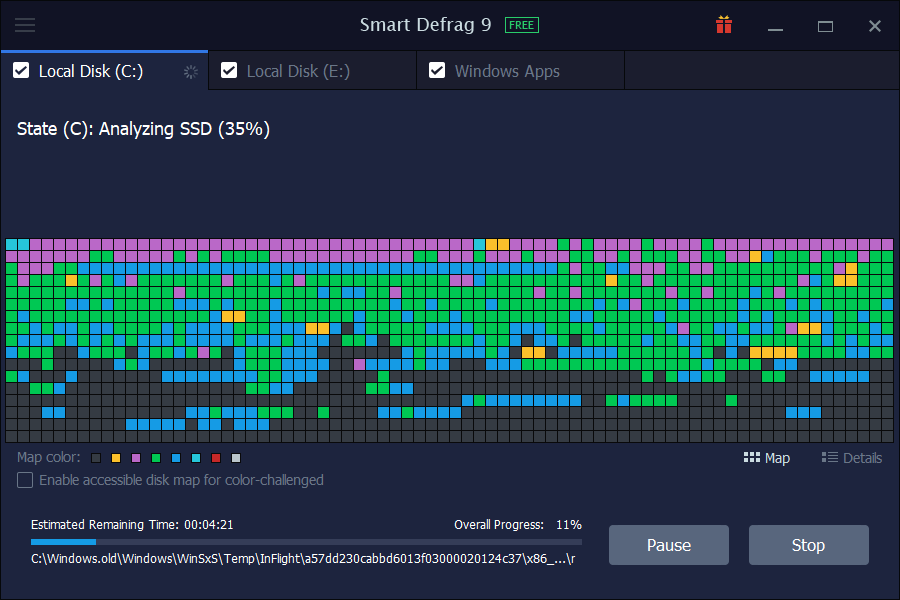
Defragmenting your hard drive can make a real and significant difference to your PCs performance. So it's a pity that Windows' own defrag tool is slow, short on features and has a poor interface, especially in Vista. Fortunately there are plenty of free alternatives around, and IObit Smart Defrag is one of the best.

The program has a variety of defrag strategies, for instance. You're able to defragment files alone, defrag and compact free hard drive space, or use a "deep optimise" mode to reorganise your hard drive files for the best possible speeds. All work quickly and efficiently.

You're able to launch any of these defrag options on demand, on a schedule, or even in the background after your PC has been idle for a few minutes. We wondered if this meant the program would compromise the performance of other applications, but this really isn't the case. Smart Defrag needs less than 15MB of RAM, doesn't fire up until your system has been idle for 5 minutes, and stops as soon as other applications become active again, so it never got in our way. All you'll notice is an all-round speed boost as Smart Defrag fixes any defrag issues automatically, before they become too serious.

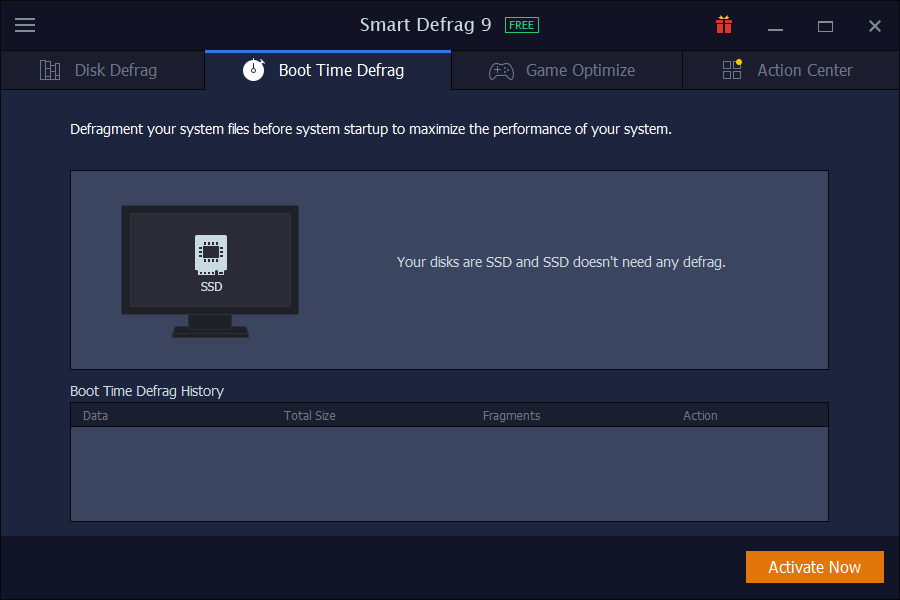
Note that Smart Defrag 2 is using a new "Boot Time Defrag" technology which allows you to defrag files during the system boot process, while these files cannot be defragged or are not safe to move after the system is already boot-up.

Verdict:

Fast, efficient defrag tool that ensures your system is always running at its optimum performance

Your Comments & Opinion
 
Related Download Articles
 
Auslogics Disk Defrag 3.4.3.0

Auslogics Disk Defrag 3.4.3.0

Free, for personal-use only

Keep your hard drive in top condition with this powerful disk defragmentation tool

MyDefrag disk defragmentation tool

MyDefrag 4.3

Freeware

Use this disk defragmentation tool to keep your system optimised

O&O Defrag 15.5 Professional Edition (64-bit)

O&O Defrag 15.5.323 (64-bit)

Trial Software

Improve your PC's performance with this very configurable defrag tool

Fix-It Utilities 10 Professional

Fix-It Utilities 10 Professional

Trial Software

Diagnose and fix PC problems, then clean, optimise and secure your system with this one-stop maintenance suite

Other Download Articles From This Category
HyperSnap

HyperSnap 7.16.01

Trial Software

Take and edit screen grabs from just about any Windows application

SUMo

SUMo 3.1.1

Freeware

Quickly discover which of your favourite programs have updates available

Toolwiz Care 2.0

Toolwiz Care 2.0.0.2600

Free, for personal-use only

Clean and optimise your system with this powerful suite

PNotes

PNotes 9.0.107

Freeware

Get yourself organised by recording reminders for all your most important tasks on virtual sticky notes

From Softwarecrew

Please wait while my feed loads

See more posts...

Our Price: $14.95
RRP: $49.95
Saving 70%
Buy Now More Info
Offer Ends In:
 

Spotlight: Free Full Software

Giveaway: WinISO Standard 6.1.0

Free Full Commercial Software

WinISO is a very comprehensive tool which provides everything you need to create, edit and convert disc images.

If you've an image file already, for instance (ISO, CUE/ BIN, NRG, MDF, CCD, IMG and DVD formats are supported) then you can open it in a click or two, browse the image contents, and extract the files you need with a quick drag and drop.

It's just as easy to create new ISO9660, UDF, even HFS+ images. Just choose the option you need, then either manually build up your preferred file and folder structure; drag and drop your files and folders from Explorer onto the program; or create an image directly from a CD, DVD or Blu-ray disc.

Of course you can edit images, too. Is an ISO file too large for your needs, say? Open it up, locate and remove any surplus files to free up a little space.

WinISO program has full support for reading and creating bootable image files. A simple conversion tool makes it easy to convert disc images into the format you need. And the program can even mount ISO files as Explorer files, or burn images to disc when you're ready to save them.

Please note, this trial version of WinISO Standard will not save files greater than 500MB in size.

Giveaway: on Wednesday, we're giving you the full current version of WinISO Standard 6 worth $29.95. The download link here will take you to Downloadcrew Giveaway.

[...]
Time Remaining: