From Twitter

Please wait while my tweets load

If you can't wait - jump to Twitter

See more tweets...

RSS Feeds

Receive a regular RSS feed from our latest, most popular and recommended downloads

Latest downloads feed

Get a regular RSS from our most latest downloads

Most popular downloads feed

Get a regular RSS from our most popular downloads

Recommended downloads feed

Get a regular RSS from our recommended downloads

Newsletter

Subscribe to either one of our two newsletters for regular updates and information

Downloads newsletter

This is a weekly newsletter with download news, updates and other information

This is a monthly newsletter with software store information, offers and deals

Gmail - email from Google 2.2

Access Gmail through its own dedicated app on your iPad or iPhone

by Nick Peers

Our Rating:
Your Rating:
Login to rate
Based on 0 ratings
License: Freeware
Operating Systems: iPad, iPhone
Requirements:

iOS 5.0 or later

Languages: English
Software Cost: Free
Date Updated: 06 May 2013
Watchlist: Add download to my watchlist
Downloads To Date: 107
Developer: Google
RSS News Feed:
Twitter Feed: https://twitter.com/gmail
Facebook: https://www.facebook.com/Gmail
Buy the new TuneUp Utilities 2013 for only $16.95, with lifetime license, saving 58% from MSRP, only from store.downloadcrew.com
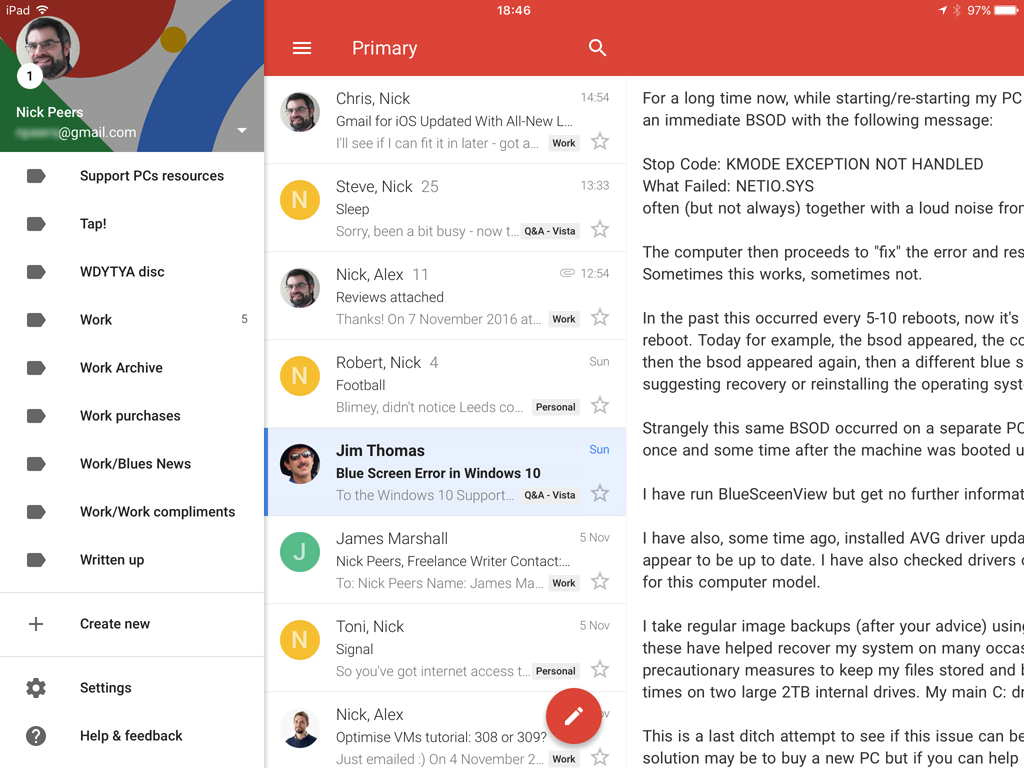
Gmail 2.2 on iPad
Gmail 2.0 supports threaded conversations in its redesigned user interface.

At first glance there doesn’t seem to be much call for a dedicated Gmail app on your iOS mobile. After all, the built-in Mail app handles your Gmail account with ease. But what Gmail offers Google-addicts is integration with other Google services and apps, so you have access to your Google Calendar invites and Google+ posts.

It also offers a much faster search tool, and provides profile pictures of your contacts where possible in conversations. There’s also support for threaded conversations, auto-complete when entering names from both your Google Contacts as well as those stored on your phone or tablet.

You’ll also find additional tools for managing your mail – some are obviously covered by the Mail app, but Gmail naturally goes further to provide service-specific tools like labelling mails as well as reporting spam quickly and easily.

The user interface is clean and minimalist, and easy to navigate. While there’s nothing inherently wrong with the Mail app, if you’re a Gmail user you’ll definitely want to give this a whirl. We’re not going back…

Version 2.2 adds:

- YouTube, Google Maps and Chrome links go directly to the app instead of the mobile web, if installed. You can turn this off using the in-app settings.
- Added support for signing out of a single account instead of having to sign out of all accounts at once.

Verdict:

Version 2.0 finally gives Google Mail users a compelling reason to switch to Google’s own mail app – faster, slicker, more fully featured.

Your Comments & Opinion
 
Related Download Articles
 
Mailplane 3

Mailplane 3.0

Trial Software

Access Google Mail in a dedicated app for improved ease of use

Sparrow Lite

Sparrow Lite 1.6.3

Freeware

Minimalist email program for those who don’t need a fancy interface or loads of extra features 

Scott's Gmail Alert

Scott's Gmail Alert 5.7

Freeware

Monitor your Google inbox, calendar, feeds and more

Gmail Inbox Notifier

Gmail Inbox Notifier 1.2

Freeware

Check your Google Mail inbox for new messages from the system tray

Other Download Articles From This Category
Chrome 27 Beta

Google Chrome 27.0.1453.93 Beta

Freeware

Get an early peek at the next stable release of Chrome without putting your system too much at risk

Gmail Notifier Pro

Gmail Notifier Pro 5.0

Shareware

Monitor your Gmail inbox and more from the Windows notification area

WinSCP

WinSCP 5.1.5

Open Source

This easy-to-use SFTP and FTP client will protect your file transfers from snoopers

The Bat! Professional Edition

The Bat! Professional Edition 5.3.10

Trial Software

Manage your emails with this powerful and secure email client

From Softwarecrew

Please wait while my feed loads

See more posts...


Spotlight: Free Full Software

Ashampoo Burning Studio 2013 (v11.0.6)

Free Full Commercial Software

Ashampoo Burning Studio 2013 is a compact, simple, but surprisingly feature-packed disc burning suite.

The program makes it easy to create simple data discs and audio CDs, for instance: just drag and drop your files onto the list area and you'll be burning the finished disc in a couple of clicks.

That's just the start, though. Burning Studio 2013 can also create data discs with customised, interactive multi-page menus, perfect if you'd like a more professional way to share and present the disc contents.

A built-in backup tool allows you to create backups which may be encrypted, compressed, and span several CDs, DVDs and Blu-rays.

And there are modules to create VCD or SVCD video projects; burn video DVDs or Blu-ray discs from prepared folders; create, browse or burn disc images (ISO, CUE/ BIN and Ashdisc formats are supported); copy discs, erase them, design and print disc covers, labels and booklets, and more.

The focus throughout is on ease of use, though, and so Ashampoo Burning Studio 2013 remains very straightforward, whatever you're doing. Most disc projects are created via the same simple interface, and for the most part all you have to do is drag and drop the necessary files. But experts will find more advanced options are only a click away, and if you need to then you can set ISO and UDF version, enable Joliet, make a disc bootable and more.

Note the download here will take you to the Downloadcrew Software Store where you can download Burning Studio 2013.

[...]
Value:
Free
Rating: