


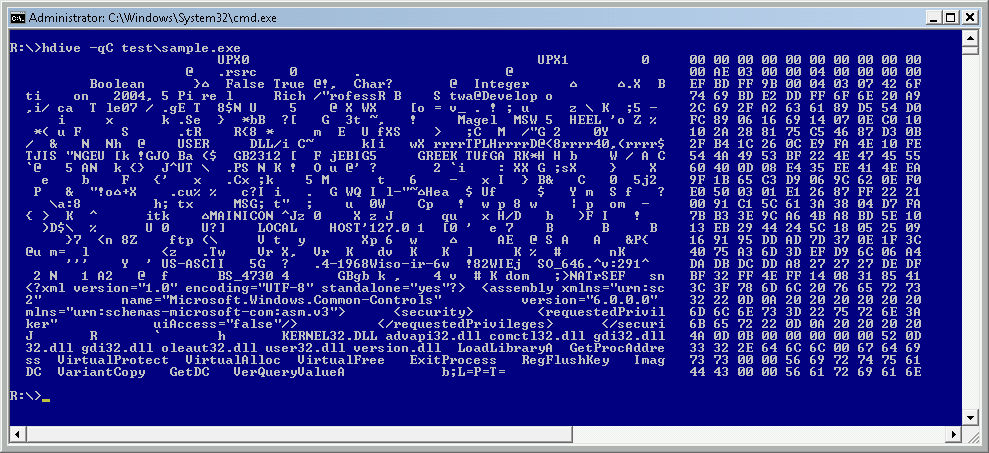
HexDive is a command-line tool which can display interesting ASCII and UNICODE strings embedded within any binary file.
Why bother? This can be very interesting if you're trying to find out what an executable does, maybe whether it's malicious. The strings can include prompts the program displays, Windows functions it uses, data (browser user agents, say), just about anything.
The problem with most similar programs is they've no idea what is a string, and what is random garbage, so the interesting data will be buried in all sorts of "dD~mY", "W:BBnw#+SZX" and "mvKb5"-type binary junk.
HexDive, though, is different, because it checks its strings against a large dictionary. Simply enter "hdive filename.exe" (less the quotes) at the command line and you'll get the key malware-related strings, with none of the usual nonsense.
If that's not enough, try "hdive -a filename.exe" to display all strings (not just any the program considers malware-related), or use "hdive -c filename.exe" to display each keyword with its context (80 bytes surrounding it).
Working at the command line can be a hassle, of course, but don't forget that the Clip tool ("hdive -a filename.exe | clip") will send the program's output to the clipboard, ready for pasting wherever you like.
Verdict:
HexDive seems to do a good job of extracting only the meaningful strings from executable files. There's a chance it could leave out something important, but on balance it still seems like a timesaver to us.
Your Comments & Opinion
Automate any task on your computer with this powerful scripting tool
Quickly create industry-standard PDF files from any printable document
Powerful text search/ replace for Windows
Monitor your PC's temperature, voltages, CPU frequency and more with this powerful stability checker
A complete clean-up, maintenance and optimisation toolkit for your computer