
From Twitter

Please wait while my tweets load

If you can't wait - jump to Twitter

See more tweets...

RSS Feed

Please wait while my feed loads

See more posts...

Newsletter

Subscribe to either one of our two newsletters for regular updates and information

Downloads newsletter

This is a weekly newsletter with download news, updates and other information

This is a monthly newsletter with software store information, offers and deals

Macrium Reflect - Free 5.0.4286

Quickly create accurate, reliable backup images of your hard drive

by Mike Williams

Our Rating:
Your Rating:
Login to rate
Based on 2 ratings
License: Free, for personal-use only
Operating Systems: Windows 7 (32 bit), Windows 7 (64 bit), Windows Vista (32 bit), Windows Vista (64 bit), Windows XP
Requirements:


Languages: English
Software Cost: Free
Date Updated: 23 February 2012
Watchlist: Add download to my watchlist
Downloads To Date: 1619
Developer: Paramount Software UK
RSS News Feed: http://www.macrium.com/blog/SyndicationService.asmx/GetRss
Twitter Feed: https://twitter.com/#!/macriumreflect
Facebook: https://www.facebook.com/pages/Macrium/125170360897919
Buy TuneUp Utilities 2012 for only $18.99, with lifetime license, saving 62% from MSRP, only from store.downloadcrew.com
Macrium Reflect - Free 5
Quickly create a backup image of your hard drive

Backing up your PC occasionally is a very good idea: there's no better way to protect your valuable files from hardware failure, virus attack and other data disasters. But it's important to do it properly.

Running a simple file-based backup, for instance, will be quick, but only because you'll probably leave so much behind: emails, contacts, browser favourites, digital photos, music, fonts, Windows and application settings, Office add-ons, browser extensions - the list goes on.

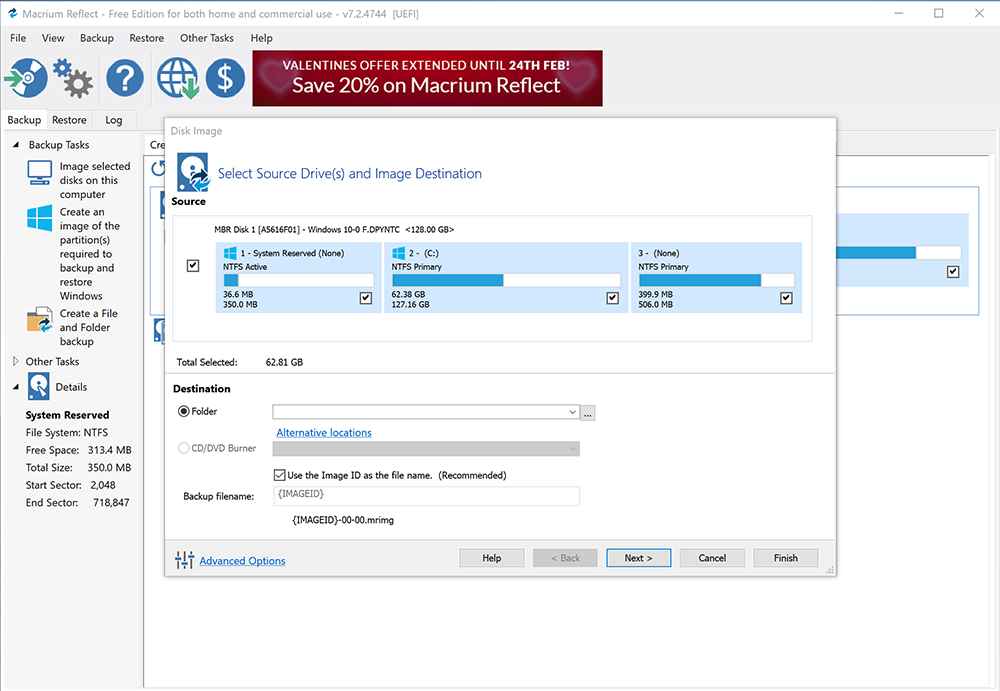
Use Macrium Reflect - Free Edition, though, and the program will take a complete image of your entire hard drive. This will take longer, and you'll probably need a second hard drive to hold the image, but if disaster does strike in the future then you'll appreciate the difference. You won't have to reinstall Windows, or your applications, or try to recover any lost data: just boot from the program's rescue disc, restore the backup, and your PC will be back working as normal within an hour or two.

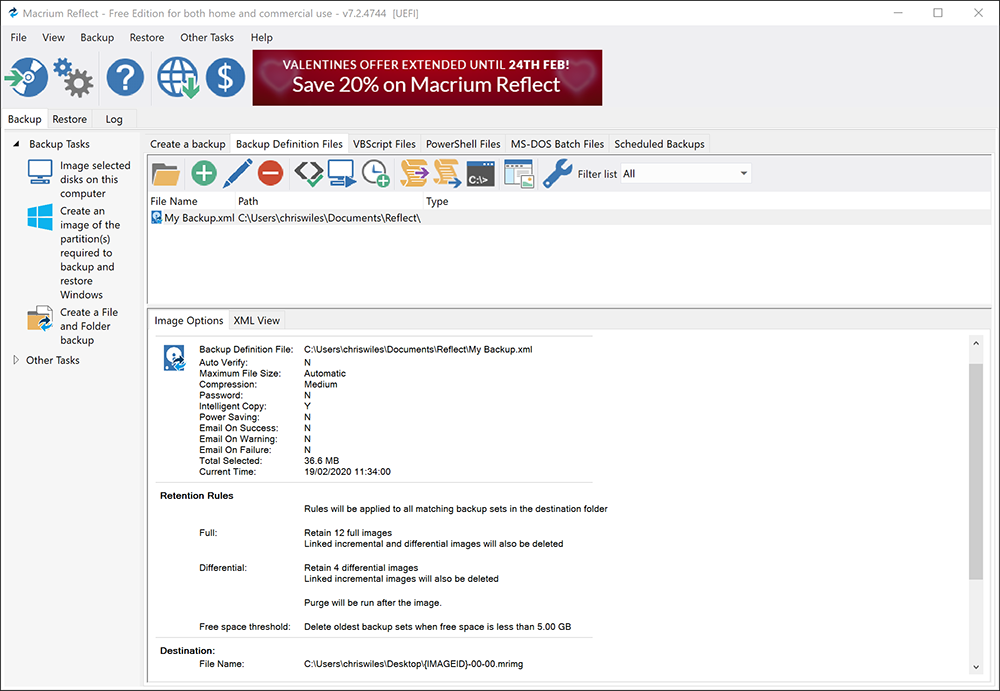
The program is easy to use, and keeps backup hassles to a minimum. Support for Microsoft's Volume Shadow copy Service means it can create a hard drive image while you continue to use your PC, for instance. A built-in scheduler lets you run backup jobs even when you're not around. Powerful compression keeps the backup image as small as possible, then it can be saved to network, external or network drives, and even DVD (there's a built-in CD/DVD packet writing engine, so no additional burning software is required).

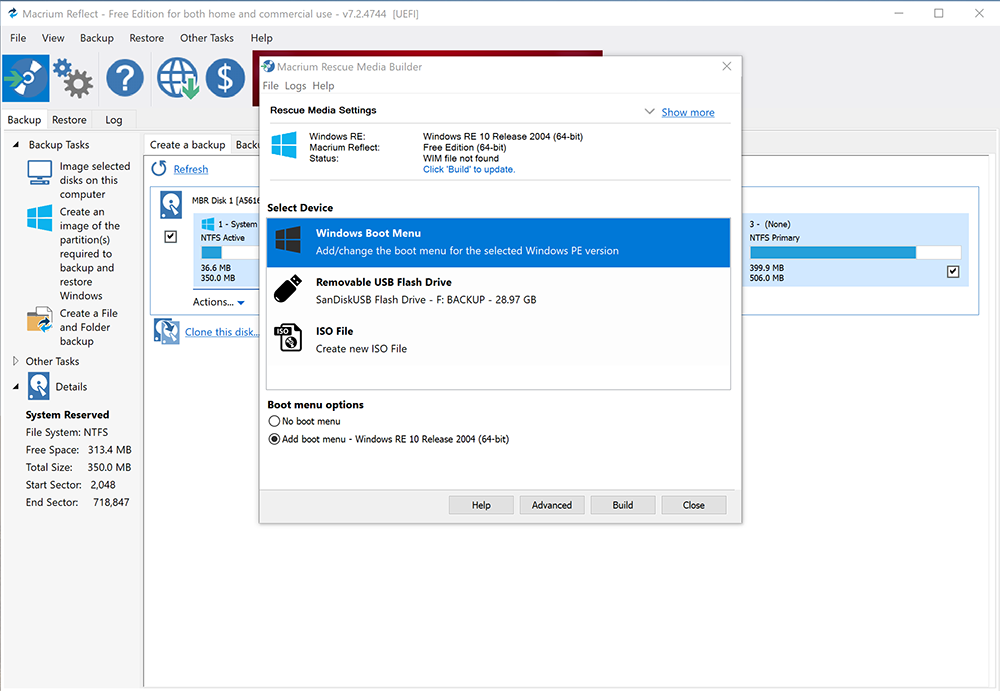
Macrium Reflect - Free Edition also lets you create a bootable Linux-based rescue CD with network support. If your PC won't start in future then you can boot from this, and use it to restore your last backup. But if you only need a few files, then the program can handle that, too. In just a few clicks you're able to attach an image, browse it for the files you need, then copy them back to your hard drive - it's all very quick and easy.

Version 5, which comes three months after the paid-for editions were upgraded, features a completely redesigned user interface that now supports drag-and-drop and new wizards. It also boasts full disk cloning capabilities, scheduled imaging, resizing and reordering of partitions when restored and the ability to rotate backup destinations so multiple backups can be kept.

The latest build also allows free users to create a Win PE-based rescue disc for the first time, although only the custom option – which involves a 1.7GB download – is available. WinPE support ensures USB 3.0 drives can be recognised in the recovery environment.

What you won't get here is direct file or folder backup, support for Windows Server, differential or incremental backups. They're reserved for the commercial version. Still, if you've a spare hard drive and just want quick, easy image backups then Macrium Reflect - Free Edition could be the ideal choice.

Verdict:

A simple, reliable image backup tool that's packed with useful features and now boasts an even friendlier user interface.

Your Comments & Opinion
 
Related Download Articles
 
Paragon Backup and Recovery 2012 Free

Paragon Backup & Recovery 2012 Free

Free, for personal-use only

Back up selected partitions or your entire hard drive quickly and easily

Active@ Disk Image 5.2.5

Active@ Disk Image 5.2.5

Trial Software

A quick and easy way to create image-based backups

O&O Migration Kit for Windows 7

O&O Migration Kit for Windows 7

Trial Software

Quickly transfer applications, settings and data to your new Windows 7 PC

Other Download Articles From This Category
SyncBackSE

SyncBackSE 6.1.0.5

Trial Software

Safeguard your precious data with this backup and synchronizing tool

Zero Assumption Recovery 9.1

Zero Assumption Recovery 9.1

Trial Software

Restore accidentally deleted files with this powerful recovery tool

FBackup 4.7

FBackup 4.7.270

Freeware

Backup your most important files & preferences using this free tool

GoodSync for Windows

GoodSync for Windows 9.1.9.1

Freeware

Keep files synchronised between drives, computers and servers

From Softwarecrew

Please wait while my feed loads

See more posts...

Our Price: $2.95
RRP: $39.99
Saving 93%
Buy Now More Info
Offer Ends In:
 

Spotlight: Free Full Software

Giveaway: WinISO Standard 6.1.0

Free Full Commercial Software

WinISO is a very comprehensive tool which provides everything you need to create, edit and convert disc images.

If you've an image file already, for instance (ISO, CUE/ BIN, NRG, MDF, CCD, IMG and DVD formats are supported) then you can open it in a click or two, browse the image contents, and extract the files you need with a quick drag and drop.

It's just as easy to create new ISO9660, UDF, even HFS+ images. Just choose the option you need, then either manually build up your preferred file and folder structure; drag and drop your files and folders from Explorer onto the program; or create an image directly from a CD, DVD or Blu-ray disc.

Of course you can edit images, too. Is an ISO file too large for your needs, say? Open it up, locate and remove any surplus files to free up a little space.

WinISO program has full support for reading and creating bootable image files. A simple conversion tool makes it easy to convert disc images into the format you need. And the program can even mount ISO files as Explorer files, or burn images to disc when you're ready to save them.

Please note, this trial version of WinISO Standard will not save files greater than 500MB in size.

Giveaway: on Wednesday, we're giving you the full current version of WinISO Standard 6 worth $29.95. The download link here will take you to Downloadcrew Giveaway.

[...]
Time Remaining: