


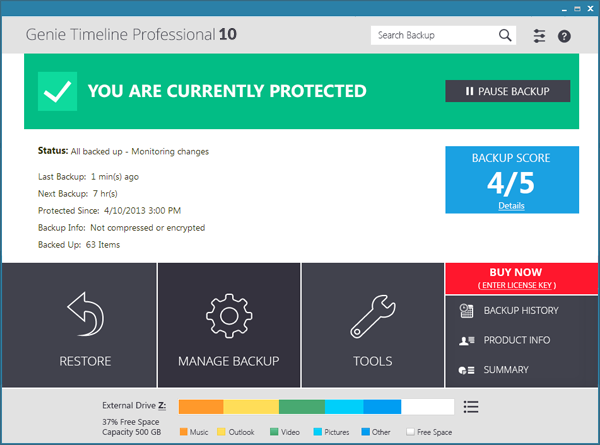
Genie Timeline Professional is an exceptionally easy-to-use tool which takes the hassles out of backups.
Defining your backup job can be as easy as choosing a destination drive, and the type of files you'd like to back up (Office documents, pictures, emails, music and so on). You can optionally tell the program to back up particular files and folders, as well, but then that's it. There's no need to specify a destination folder or file name, set a schedule or browse through page after page of complicated settings: Genie Timeline handles everything itself.
Once this is all set up, your life gets even easier. Genie Timeline Professional 2016 runs in the background, looking for files to back up. It notices when you add new pictures from your camera, say, or edit some documents. And then, when your PC is idle, the program will copy the new files to your backup drive (it will even resume the backup later if you close your system down, or reboot).
If you want to recover a particular file, or set of files, then the restore options make it very easy. Not only can you recover the last version of a file - the one you were working on last night and accidentally deleted, say - but you might also be able to recover the document as it was last week, maybe even last month. And that's because Genie Timeline Professional 2016 backs up multiple versions of every file, so you can always go back in time to choose the particular copy you need.
There's even a Disaster Recovery option, which will back up your system folders. Use this, and if Windows is corrupted, say, and your PC won't boot, then you can start it from a Genie Timeline recovery disc, restore your backup and get everything working normally again.
And if you're an experienced Windows user and are thinking this sounds a little too basic, don't worry, there are some useful configuration options available for those who need them.
The program supports include and exclude folders, for instance, allowing you to include or exclude specific file types or folders from the backup (there's even regular expression support for extra power).
Support for deduplication (backing up only one copy of duplicate files) saves space and improves backup speeds.
You can encrypt backups to protect sensitive documents, and schedule backup jobs if the automatic option isn't convenient.
The previous version took the program even further, with a range of useful backup tools and controls. This includes a Recycle Bin helps you see and manage files you've backed up, but are currently deleted from your computer. You also have the option to encrypt backup file names helps to preserve your privacy. A Backup History dialog shows you what Genie Timeline has been doing recently, whilst you can now keep every version in your backup, if you like (no more auto-purge). A new "Import Backup" option means you can import your backup on a new PC and carry on where you left off, plus there are improvements to the interface, disaster recovery, email notifications and more.
Verdict:
An intuitive backup tool that works the way you want it to, making the tedious task of protecting your files far less arduous
Your Comments & Opinion
Protect your most valuable files with this exceptionally easy-to-use backup tool
Easily back up anything from a few important files to your entire system
Keep a collection of folders synchronised so make it easier to backup your important files.
Backup your precious data in just a few clicks
Keep a collection of folders synchronised so make it easier to backup your important files.
A cross-platform backup and synchronisation utility that's packed with features no
A cross-platform backup and synchronisation utility that's packed with features
Backup, synchronise & share important files
Backup, synchronise & share important files