


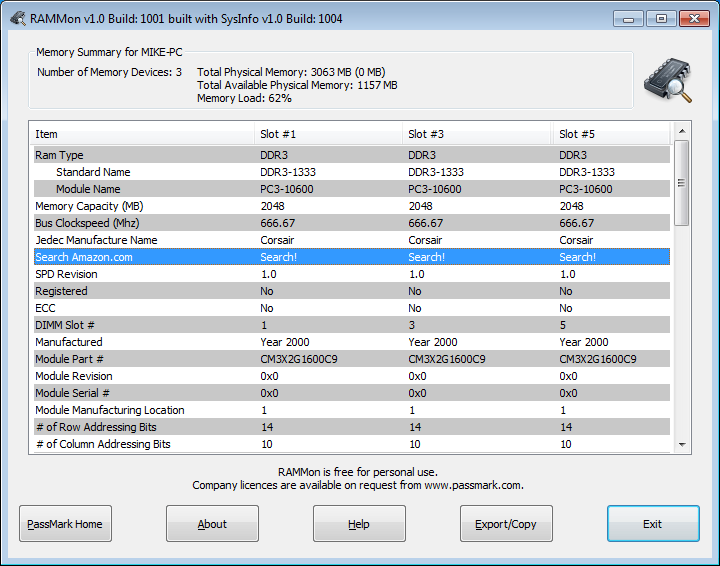
RAMMon is a handy tool that will tell you everything you need to know about your PC's RAM.
The program will instantly tell you how much you have installed and in which configuration: for example, 3 x 1GB DIMMs, 2 x 2GB DIMMS, whatever it might be.
Maybe you're looking to buy more memory? RAMMon includes details like your current RAM type and speed, the manufacturer of your existing DIMMs, even their part numbers, so it's easy to buy more of the same, or something compatible.
And if you're looking to overclock your RAM or tweak its memory timings then you'll appreciate the information on offer here, from the CAS latencies supported by your RAM, to the minimum accepted value for each timing: tCK, tAA, tRCD, tRP, tRAS and more.
Please note, RAMMon is free for personal use only. Business licences cost $15 each (with reductions if you're buying in quantity), see the PassMark site for more.
Verdict:
Pity it's not portable, but still, RAMMon is a quick and easy way to get the low-down on every aspect of your RAM
Your Comments & Opinion
Get an in-depth technical report on your core PC hardware
Analyse your PC's RAM usage
Dump the contents of RAM to a file in a click
Improve Window's cache file and memory management to enhance performance
Monitor your PC's temperature, voltages, CPU frequency and more with this powerful stability checker
Ramp up your PC's performance with this very configurable defrag tool
A very, very, very fast way to find the files and folders hogging your hard drive space
Tidy up your system after using the avast! uninstaller
Are your drivers up-to-date? Here's how to find out