


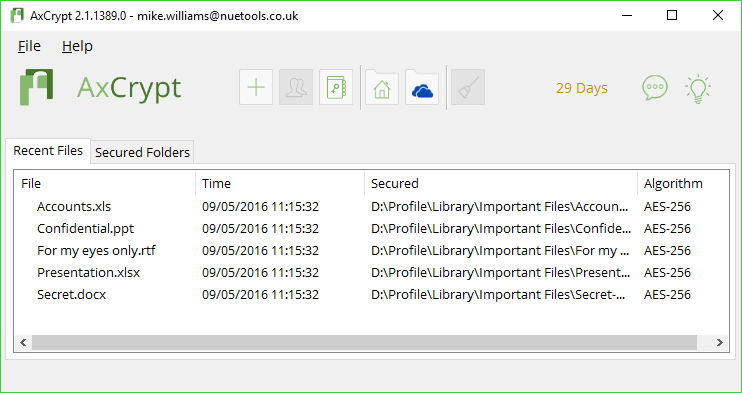
AxCrypt is a fast and reliable configuration tool.
There's no configuration required. If you want to encrypt a file, just drag and drop it onto the program, and it's immediately protected with AES 128-bit encryption. Stripping protection takes a couple of clicks, and Explorer integration means you can do this as required, wherever you are.
AxCrypt makes it unusually convenient to work with encrypted files. If you want to view an encrypted document, just double-click it as normal, enter your passphrase and it'll be displayed in the associated application. Change the document and it'll automatically be re-encrypted, too, so your data will stay protected with the absolute minimum of hassle.
The free AxCrypt is perfectly adequate for general use, but the commercial edition takes the program much further, with 256-bit AES, automatic encryption of new files in designated folders, key sharing, password management, cloud storage support, anonymous file names, secure file deletion, a password generator, and more.
Please note, you must provide your email address to create a free account before you can use AxCrypt.
Verdict:
Quick, simple and effective, AxCrypt is a smart way to encrypt your private files
Your Comments & Opinion
Protect your confidential data from snoopers
Protect your confidential data from snoopers
Keep your private data safe from snoopers
Lock down your files with one of the most secure forms of cryptography.
Lock down your files with one of the most secure forms of cryptography.
Lock down your files with one of the most secure forms of cryptography.
Quickly protect and share files with AES 256-bit encryption
Easily encrypt emails or text within any application
Browse epub, mobi, fb2, cbr, cbz eBooks
Record, edit and share videos of your desktop
Powerful PDF processing toolkit
A free tune-up utility to maintain the performance of Windows
Analyze, search, back up, clean up, and generally get more from your hard drive with this suite of tools