


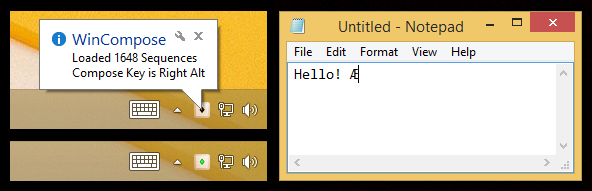
WinCompose is a compose key for Windows, an easy way to insert special characters and symbols into any document.
Launch the program and it adds an icon to your system tray. Press and release the "compose key" (Right Alt by default, though this can be changed) when you're entering text somewhere, type a sequence of characters representing your symbol, and it's inserted into the current document.
You'll need to learn the sequences for each symbol, of course, but that's easier than you might think. A heart ♥ is <3 ; a copyright symbol © is oc ; "plus or minus" ± is +- ; Ø is /O, Ñ is ~N and the list goes on.
It really does go on, too, with the program supporting more than 1,700 rules. If you've used anything based on the Xorg or dotXCompose projects then you'll know these already, but if not, it's easy to browse them for the sequences you need, and there's also an option to add custom rules of your own.
Verdict:
An excellent compose key, lightweight, configurable and easy to use.
Your Comments & Opinion
Generate unique music
Transform text into art with this unique iPad app
Take and edit screen grabs from just about any Windows application
Take and edit screen grabs from just about any Windows application
Completely uninstall unwanted programs in minutes
Automate any task on your computer with this powerful scripting tool
Quickly create industry-standard PDF files from any printable document