


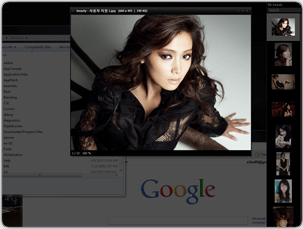
NexusImage is a lightweight, portable and easy-to-use image viewer.
Launch the program and you can browse straight to an image in the folder you'd like to view. At this point we weren't too impressed; file format support here is limited (jpg, png, bmp, gif, ico, tiff, wmf, emf, jp2, j2k), and there's no Explorer-like thumbnail browser. Once you've chosen an image, any other pictures in the same folder are displayed in a scrollable strip on the right-hand side of the screen, but this is only really useful when browsing folders with small numbers of images.
Get past these issues, though, and NexusImage does have a few points in its favour. The program can rotate and zoom in on a particular image, for instance, but a "smooth stretch" setting helps to minimise any pixellation or image artefacts as it works, so your pictures look better even at the highest magnifications.
Open the program's Exif window and you'll be able to view the metadata of each image as it's displayed.
There's an option to set the current image as your desktop background. You can add a caption to an image to help you remember something about it (this doesn't affect the picture itself, it's just for use in NexusImage). And there are shortcut keys for everything, so once you've mastered these then the program is very quick and easy to use.
Version 1.1.3.992 brings:
•Improved: Keyborad Shortcuts
Previous Image: Down or Right arrow
Next Image: Up or Left arrow
Zoom In: + or Z
Zoom Out: - or Shift + Z
•Added: Show in Explorer
•Added: Flip Horizontal/Vertical
•Added: Edit with function. You can add editors and open an image you are viewing with one of those editors.
Shift + Click an editor if you want to edit or delete an editor.
•Added: Show/Hide StatusBar function. You can view images without titlebar and statusbar.
•Improved: Menu structure changed.
Verdict:
NexusImage can't compete with the "do everything" image viewers; if you need support for hundreds of file formats and an industry-strength thumbnail browser then you should probably look elsewhere. The program does just fine for more basic purposes, though - it's lightweight, portable, looks good and has some convenient bonus features
Your Comments & Opinion
View, edit and convert your image collection quickly and easily with this powerful tool
View, annotate, edit and process all your images with this compact and versatile graphics tool
View, annotate, edit and process all your images with this compact and versatile graphics tool
Quickly view most file types without waiting for their full application to load
View, edit and convert your image collection quickly and easily with this powerful tool
A simple but well-designed image viewer
A comic-oriented image viewer
A powerful free paint package
A powerful free paint package
Batch convert almost any audio or video file from one format to another
Capture screenshots quickly and easily with this powerful, but resource-friendly, tool
An outstanding audio editor