


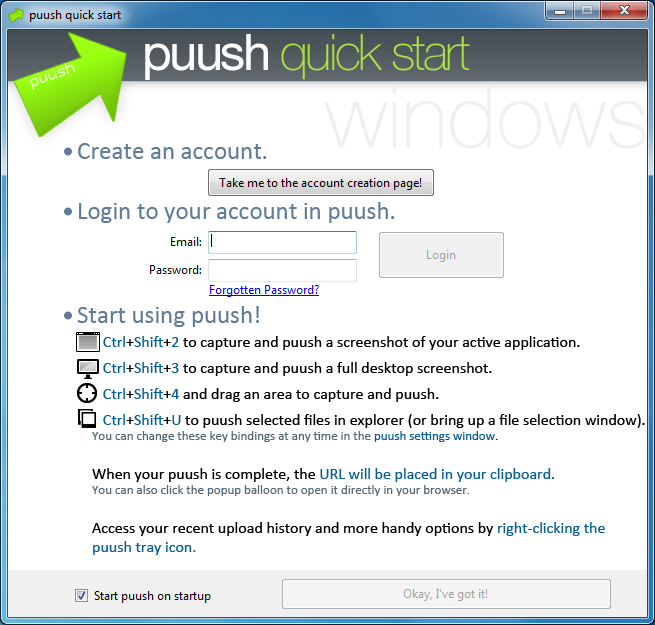
Puush is a small and simple application and web service which makes it easy to take and share screen grabs, as well as pictures and other files.
Before you can use the program you must create a puush account. It's nothing that you haven't done many times before with other services, though: give them an email address and password, click a "verify this address" link, choose a user name and you're done.
Launch puush, log in, and you're ready to begin sharing screen captures - which really is very quick and easy. To grab an image of your current window, for instance, you would just press Ctrl+Shift+2 (by default, anyway - all the hotkeys are user-configurable). No dialog appears, no options, there's nothing else to do: but in the background the program is taking the image and uploading it to your account. Within a few seconds an audio alert tells you that's complete, and puush will copy a short URL to your clipboard (of the form http://puu.sh/xxxxx) which you can use immediately to share the picture with others.
If grabbing an individual window doesn't suit your needs, you can also press hotkeys to capture a specific area, the entire desktop or the contents of your clipboard, as well as a specific file (they'll also each be uploaded to your account).
And if you're taking several grabs, then puush conveniently allows you to review some of them directly from its system tray menu. We found the program always listed our last five images and their time of capture; choosing one of these displayed an image thumbnail, and links to open it in our browser, copy its sharing link to the clipboard, or delete the image entirely.
The free edition of puush has one limitation: files will expire after they've not been accessed for 30 days. Paying for a Pro account lifts this to 6 months, and gets you Dropbox sync as well.
Verdict:
A fast, easy-to-use and extremely lightweight way to capture and share desktop images and other small files
Your Comments & Opinion
I quite agree that puush has significant limitations as a general screen grab tool. And if that was it did then a score of maybe 3 stars would perhaps have been more appropriate.
As I tried to say, though, I rated puush as I did more for its core functionality, sharing content with others. It's very easy to use, not restricted to just images, and is the most lightweight tool of its kind I've ever seen, while the limitations you're talking about don't affect the sharing side, so I think that 4.5 star score is well deserved overall.
Capture images or videos of desktop activity, then share them online in just a few clicks
Take quality screengrabs in seconds with this comprehensive capture utility
Grab, edit and share your screen captures in seconds
Take and automatically save screen grabs with a single click
Versatile screen capture tool that can capture full screen shots and custom section
Capture screenshots at custom sizes with this handy portable app
Take screenshots that really stand out
Ramp up your PC's performance with this very configurable defrag tool
A very, very, very fast way to find the files and folders hogging your hard drive space
Tidy up your system after using the avast! uninstaller
Are your drivers up-to-date? Here's how to find out
Easily run programs as another user