


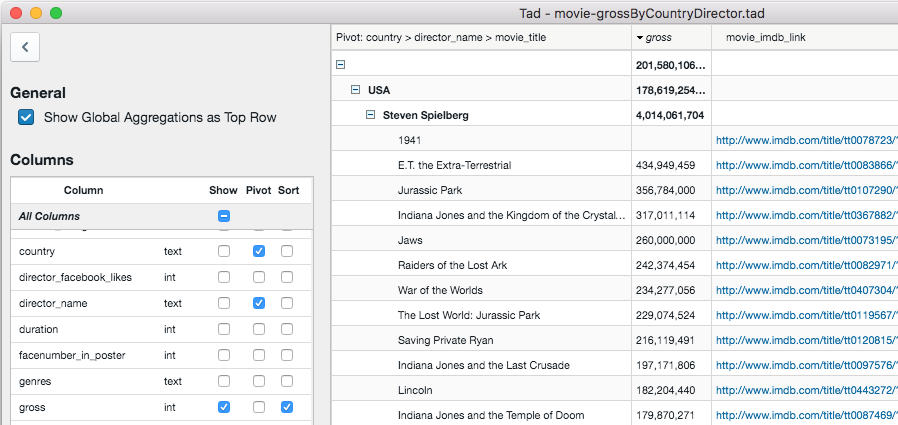
Tad is an interesting tool for viewing any analysing CSV files and tabular data.
Open a CSV file and it's displayed in a simple table. Clicking column headers quickly sorts the data by that field, and you can drag and drop headers to reorder them. That's useful, but it's also very familiar.
We thought the gear icon to the left would be a regular Settings dialog, but actually it provides more ways to configure the viewer. You can hide individual colums, sort by specific fields, display the totals of each field in the top row, even build a pivot table to better analyse complex data.
There's a simple filter system, too. Choose a column (Price), set up a condition (>= 100), add more conditions (Item is not null), decide whether you're combining these with AND or OR and the view updates accordingly.
Verdict:
A nicely designed CSV viewer, easy to use for beginners but with a few very capable extras.
Your Comments & Opinion
A quirky media viewer/player
View, search and edit CSV files
View, search, edit and convert CSV files
A powerful but complex CSV editor
A tool for developers to track sales of their apps
A complete clean-up, maintenance and optimisation toolkit for your computer
Manipulate maps, GPS data and more with this comprehensive tool
A notepad/ to-do tool with cloud sync
Comprehensive suite of PC speedup, maintenance and management tools
Mount disk images in Explorer, and create RAM disks with this versatile tool