


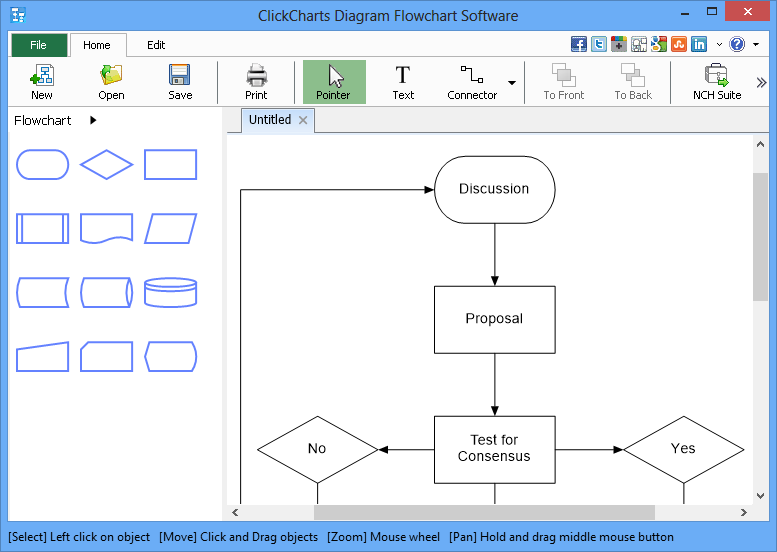
ClickCharts is a simple free tool for building flowcharts and UML diagrams.
We really do mean "simple", too, as there are only a few shapes available for each diagram type (12 for flowcharts, 10 for UML, with 9 in a "General" category). But it is at least easy to use.
Click a standard rectangle, say, and it'll appear wherever you click on the page. Choose the "Connector" diagram to drag lines from one box to another. Double-click any shape to enter the relevant text. And as there's no real configurability here (you can't set colours, fonts, line thicknesses, background images or anything else) you'll probably create your chart within two or three minutes.
Once you've finished, charts can be printed, saved in ClickChart's native CCD format, or exported as images in a good range of formats (PNG, GIF, JPG, PSD, TIFF, BMP, WBMP and more). There's no support for working with other charting tools, though. ClickCharts can't import files from other charting software, or export diagrams for completion elsewhere.
Verdict:
ClickCharts is very limited, and distinctly short on configuration options. But it's also free, and so simple you'll figure out how to use it within about 30 seconds. If you just need something to create basic, plain flowcharts then this may well be enough.
Your Comments & Opinion
Create flowcharts, UML class diagrams and more with drag and drop simplicity
Easily create stylish and detailed diagrams
Create flowcharts, UI diagrams, UML charts, more
Monitor your PC's temperature, voltages, CPU frequency and more with this powerful stability checker
Free up valuable hard drive space with the capable cleanup tool
A versatile journaling and notebook tool to pop on your USB drive
A notepad/ to-do tool with cloud sync
Monitor file and folder changes on your hard drive in real time