


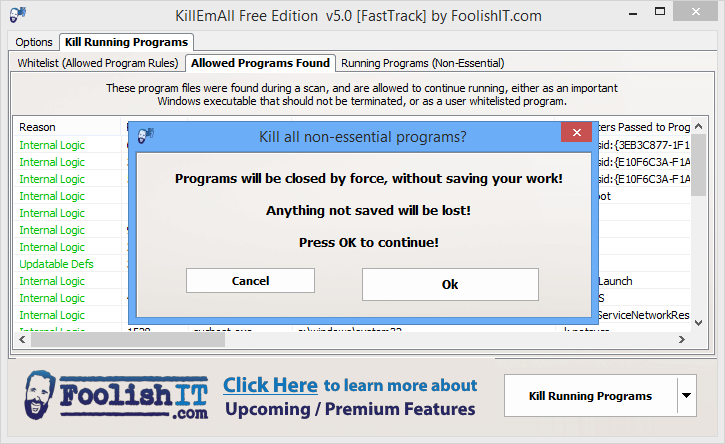


KillEmAll is a portable tool designed to close all non-essential applications at the click of a button.
The developer suggests this could be a good way "to close all open web browser windows if you get a suspected malicious popup while visiting a website", although it's also useful as a time-saving shortcut. If you're about to play a resource-hungry game, say, no need to close every running application manually, just let KillEmAll do it for you.
Making this happen is simple: just launch the program, and click "Kill Running Processes".
KillEmAll warns you that it will forcibly close applications, so it's important that you save any unsaved work first. But once that's done, clicking OK closes everything down.
Later editions extended functionality by providing more information on running software, and extra control over exactly what will be closed.
The "Allowed Programs Found" tab lists important and system programs which won't be closed, while anything expendable is listed under "Running Programs (Non-Essential)".
Double-clicking any program name displays a dialog with various properties and attributes, including MD5 and SHA256 hashes.
You can also create your own whitelist, using extensive and flexible rules, to define programs that should never be closed.
Verdict:
KillEmAll can be a time-saving way to close a bunch of applications at once, but beware: programs are closed forcibly, and if you don't save any unsaved work, it'll be lost.
Your Comments & Opinion
Close all application windows with a click
A quick and easy way to terminate troublesome processes
Get out of Windows with lightning speed
Give your system a speed boost by cleansing and optimising your PC
Be more productive with your PC using this superb Windows Explorer replacement
Convert and export databases
Find out exactly how a computer is being used with this powerful forensics tool
Free up valuable hard drive space with this fast and flexible duplicate file locator