


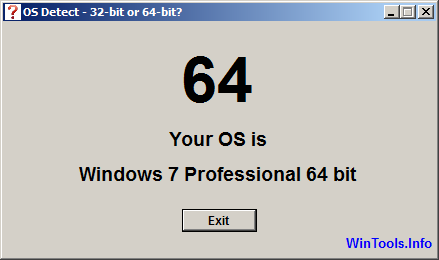
OS Detect is a small tool which finds and displays your Windows version, type (Home, Professional, Enterprise etc) and whether it's 32 or 64-bit.
You can already find this out in various ways, but you have to know where to look, and the best places (msinfo32) present their information in an intimidating way.
WinVer simplifies the process by displaying absolutely nothing else. Check the screen capture for an example: there's a big 32 or 64, the name and edition of your copy of Windows, and an Exit button when you're done.
Verdict:
Small. Simple. Works as advertised. OS Detect won't tell experienced viewers users they don't know already, but it could help the total PC novice. Grab a copy for emailing to clueless friends.
Your Comments & Opinion
A powerful boot manager that makes it easy to work with multiple operating systems
Arrange program windows on your desktop to enhance your productivity
Restore the Start button to the taskbar of Windows 8
Read, write and control an NTFS-formatted partition from your Mac
Monitor your PC's temperature, voltages, CPU frequency and more with this powerful stability checker
Ramp up your PC's performance with this very configurable defrag tool
A very, very, very fast way to find the files and folders hogging your hard drive space
Tidy up your system after using the avast! uninstaller
Are your drivers up-to-date? Here's how to find out