


You've turned your PC or laptop on, but the speaker volume was left too loud, and so the sound of Windows launching deafens everyone around you. Annoying, isn't it? But fortunately there's an easy fix.
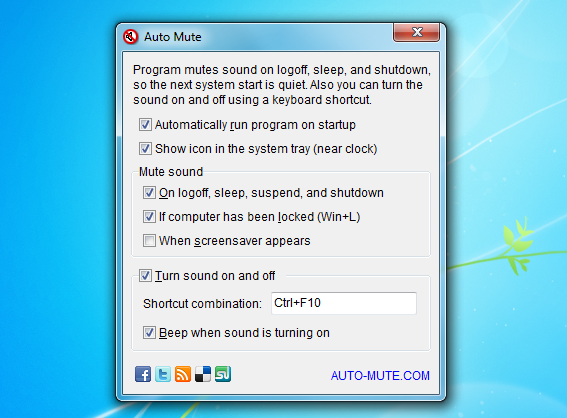
Install Auto Mute and this simple program will automatically mute the speakers when your system logs off, sleeps or shuts down, ensuring your next boot will be entirely silent.
And because having no sound at all can be almost as annoying, Auto Mute can also use a hotkey - Ctrl+F10 by default, though this can be changed - to toggle your system's audio on and off. (And you can do much the same thing with a right-click on the program's system tray icon.)
If you're not happy with a particular setting, then it can probably be changed with a click or two on the program's Settings dialog. So you can optionally have the sound muted when the computer has been locked, for instance, or when the screensaver appears.
And while Auto Mute does need to be running in the background to ensure your speakers are muted appropriately, it uses very few system resources, consuming less than 1MB of RAM on our test PC.
Verdict:
An easy way to ensure that your system speaker volume won't disturb anyone else when your PC boots
Your Comments & Opinion
Set your speaker volume above maximum
Trim, clean and otherwise process your MP3's with this simple, fast and free tool
Silence your Mac's startup sound
Manage your files and folders with this dual pane tabbed Explorer replacement
Add new capabilities to VirtualBox with this extension pack
Add new capabilities to VirtualBox with this extension pack
Add new capabilities to VirtualBox with this extension pack
Host a virtual operating system