


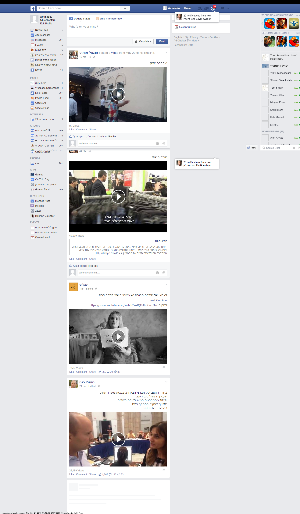
Open Screenshot is a Chrome extension for capturing, editing and saving screenshots.
The standout feature is probably the "all page screenshot", which captures a full web page, even if it won't fit on your screen. (It automatically scrolls horizontally and vertically, as necessary, taking captures, and then stitches them all together).
There are plenty of other capture types, including the visible area of the screen, a region, your desktop, webcam and more.
Captured images may be annotated with basic shapes and text captions.
As you'd expect, your grabs can be saved locally.
As you might not expect, then can also be exported as PDFs, attached to Gmail messages, uploaded to Google Drive, posted to Facebook/ Twitter/ VK/ Google Plus/ Pinterest/ Blogger/ Tumblr and more.
Verdict:
A hugely versatile screenshot tool, better than many (most?) of the desktop competition.
Your Comments & Opinion
Capture and share screenshots
Capture, upload and share screenshots/ text
Take desktop screenshots at regular intervals
Quick and easy screenshots
Microsoft's interesting screen capture tool
Ramp up your PC's performance with this very configurable defrag tool
A very, very, very fast way to find the files and folders hogging your hard drive space
Tidy up your system after using the avast! uninstaller
Are your drivers up-to-date? Here's how to find out
Easily run programs as another user